Published at May 22, 2023 , Updated at Jul 25, 2026
 Jakub Mrocek
  Lukáš Holásek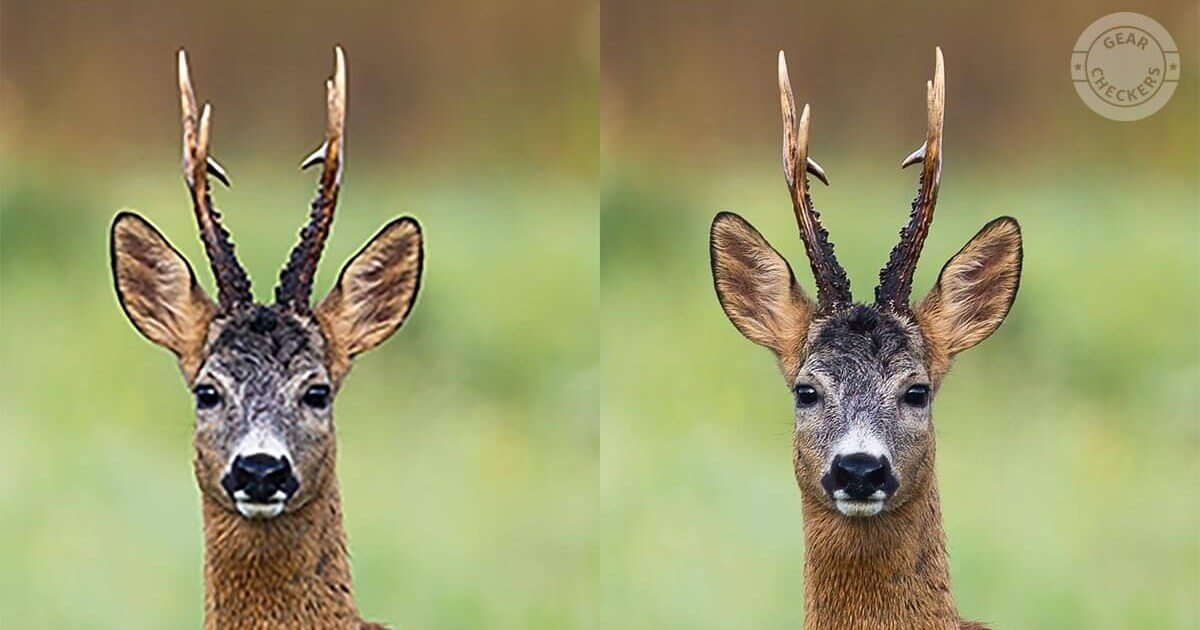
Misleading Trail Camera Megapixels: What Is Interpolated Resolution?
Have you seen the ads in which trail camera manufacturers promote the highest possible resolution their models offer? High resolution has become a magic phrase and a key selling point. But the obvious question is: is it really true? Could that “higher” resolution be nothing more than a marketing tactic hiding the camera’s real image quality?
In reality, every trail camera offers photo resolutions higher than the native resolution of its image sensor. Yet the image sensor is what captures the photo and determines how much detail it contains. You may be thinking that this makes no sense. You would be right!
Article overview
The secret behind high trail camera resolutions
When we bought our first trail camera 10 years ago, we also chose it based on the maximum resolution listed next to the products in online stores. Only later, after we owned more cameras and could compare their output side by side, did we begin to notice that the specs did not always tell the whole story.
Here are the tricks trail camera manufacturers use and what they mean in practice. We’ll show you how to recognize when higher resolution offers real value and when it is just a smokescreen. The next time you compare specs, those inflated numbers won’t fool you!
How interpolation works: resolution vs. reality
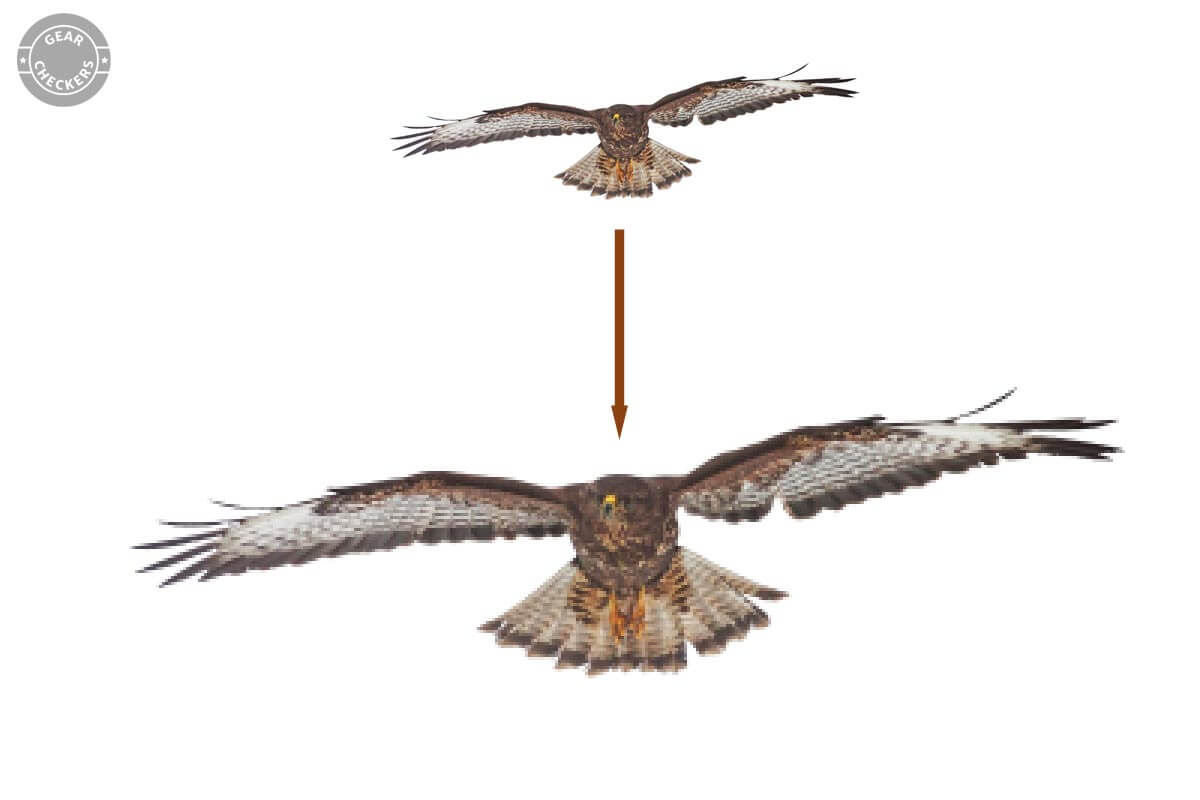
It is easy to assume that higher resolution means better photo quality. But there is a catch. Trail cameras use a technique called interpolation, which artificially increases the resolution of a photo.
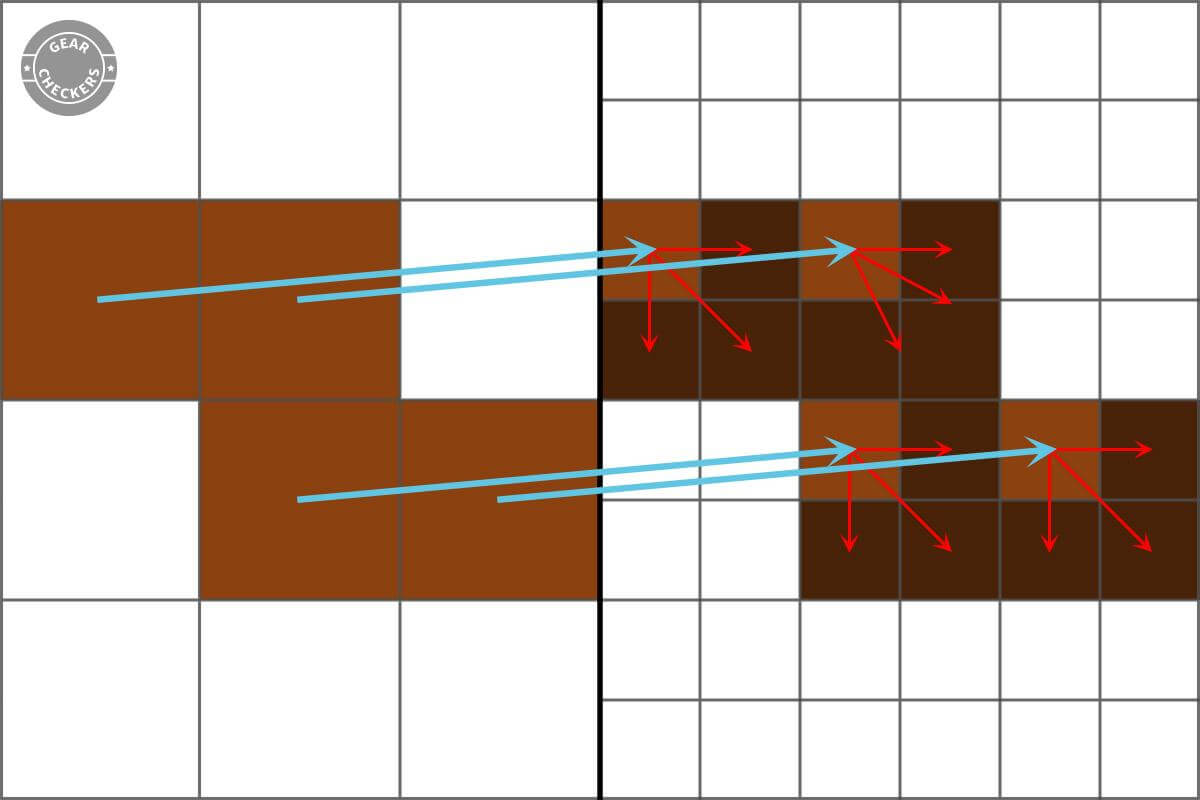
Think of it as stretching the image. As the image stretches, new pixels are inserted between the original ones. These new pixels do nothing to improve the detail in the image. The image sensor simply did not capture that much detail, so the camera can only “make up” new pixels to fill the gaps.
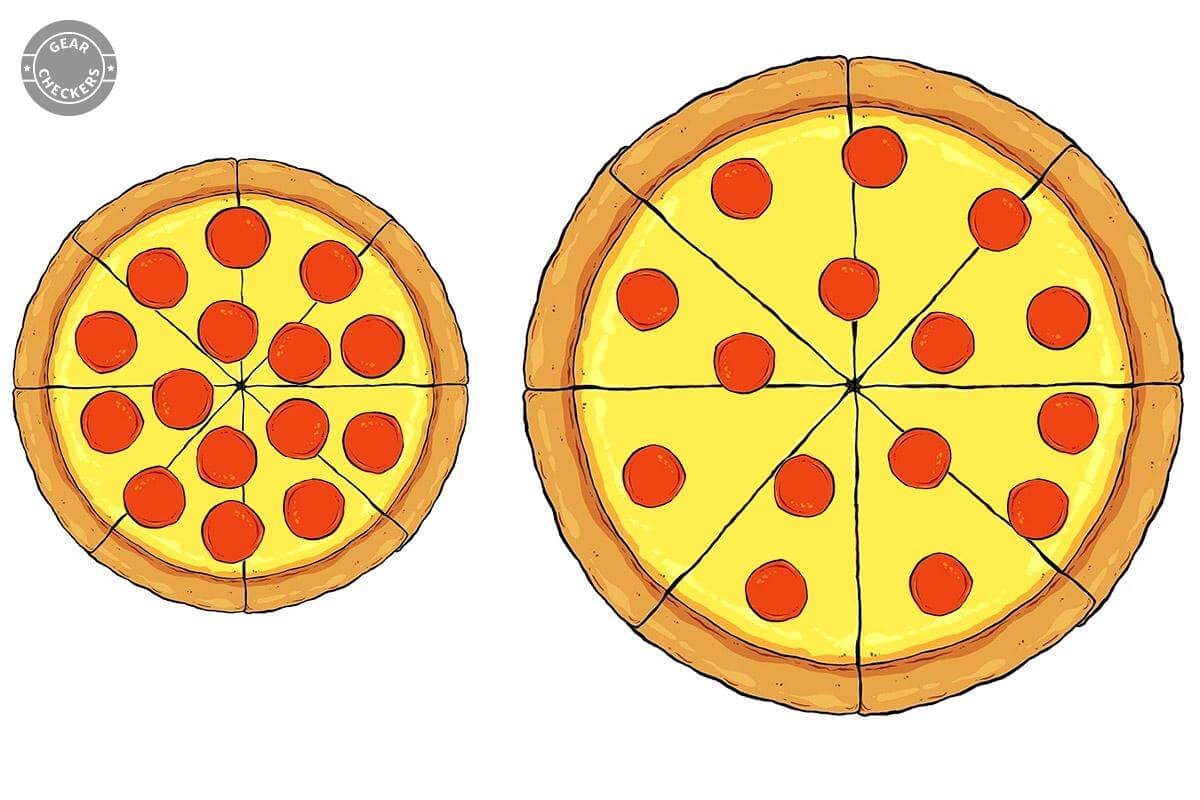
To make this easier to picture, we’ll explain it with a pizza. Imagine a pizza fully covered with slices of salami (the details). Now stretch the pizza to twice its size. Extra pieces of dough (pixels) appear between the individual slices of salami. The amount of salami stays the same; there is simply more dough.
Interpolation works the same way. The resulting image is bigger, but the detail and image quality have not increased. The process is deceptive because it gives us no more “salami,” only “more dough.”
Another example: Imagine someone tells you they own the biggest library in the world because it holds tens of thousands of books. On closer inspection, you discover that most of those books are just copies of the same book. The library contains many books, but the amount of information in it is limited. Interpolation works the same way: it increases the pixel count without adding any new detail.
When deciding which trail camera to buy, look closely at the resolution specs and always check whether the advertised resolution is real or simply the result of interpolation.
The price of “high resolution”: Wasted batteries and memory card space
Interpolation causes confusion when choosing a trail camera and also hurts the practical use of the camera.
A memory card that fills up faster
What is the real problem with artificially inflated megapixels? The memory card in your trail camera has a limited capacity, say, 32 GB. Every pixel the camera captures and saves takes up a certain amount of space on that card.
When a photo has an artificially increased resolution, the image contains more pixels. That means every shot takes up more space on the memory card. In practice, your memory card fills up faster, and the camera can no longer capture new shots.

This is a substantial difference: interpolated photos tend to be 2 to 4 times larger! Interpolation effectively “steals” ½ to ¾ of the capacity of the memory card in your trail camera.
Shorter battery life
Artificially increased resolution has another consequence that matters just as much: power consumption. Your trail camera needs energy to run its image processor while it artificially enlarges the photo.
The process takes only a few tenths of a second, so the energy loss may seem negligible. But it happens with every photo the camera captures. A trail camera routinely takes hundreds to thousands of photos, adding up to seconds or minutes spent pointlessly recalculating pixels at full power. During that time, it burns precious battery energy! All of this happens just so a bigger number can be printed on the box.
OUR TIP: Turn off interpolation in your trail camera
Every trail camera uses pixel interpolation. Fortunately, there is a fix that lets you avoid its negative effects.
The fix is a simple change to your trail camera’s settings. When you open the menu, you’ll find an option to set the photo resolution. If you set it to the value that matches the real (native) resolution of the image sensor, your camera will stop interpolating photos, meaning it will no longer artificially increase their resolution.
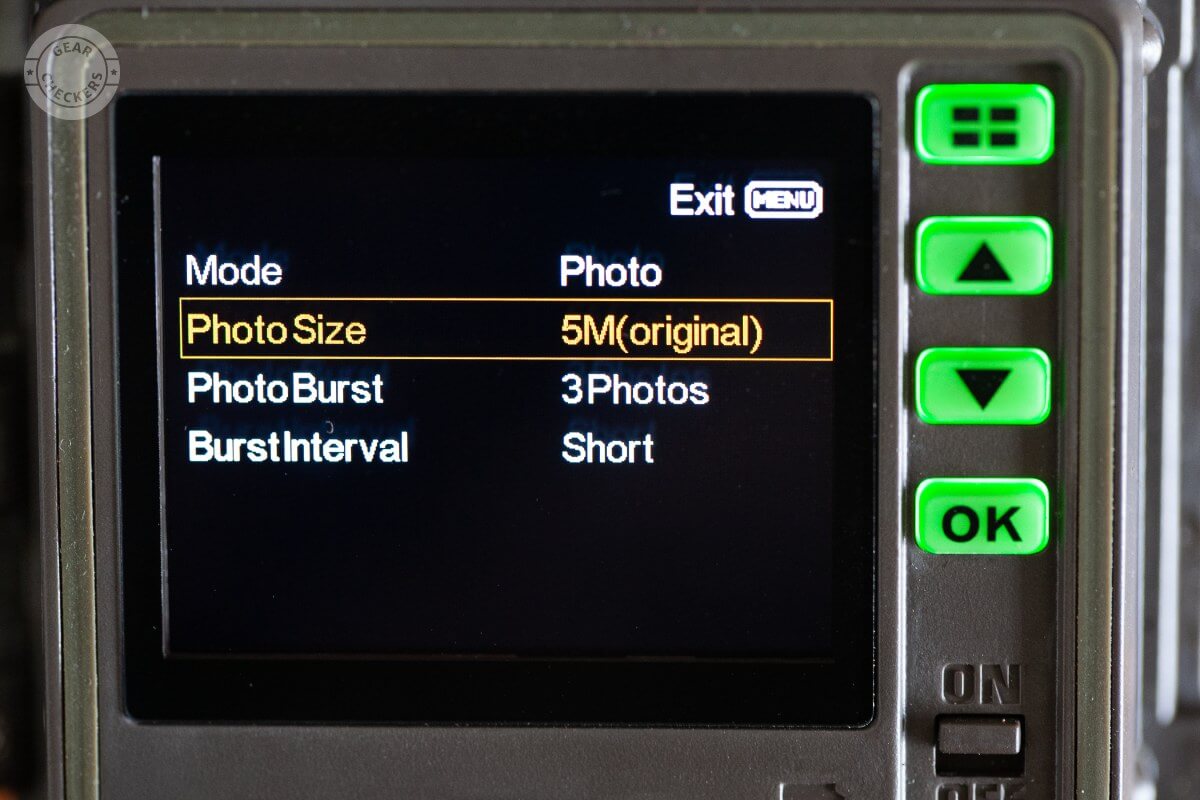
Instead, the camera captures and saves the photos exactly as its image sensor recorded them. The result: your photos will look better when viewed at 100% zoom and will also be smaller, so they won’t fill the memory card as quickly. Power consumption drops too, because the camera no longer spends extra energy processing and saving made-up pixels.
Marketing trick: Why manufacturers use interpolation
If interpolation has so many drawbacks, why do manufacturers use it? The answer is simple: marketing.
People automatically assume that “higher” means “better”. When we see a product with bigger numbers, we intuitively assume it is better, even when we have no clear idea what those specifications actually mean. Manufacturers know this and use it in their marketing.
Imagine you have decided to buy a new trail camera. While comparing models, you notice that one of them boasts a “mega resolution” of 48 megapixels. That sounds impressive next to other models offering “only” 8 megapixels. Such a striking difference can convince you that the camera with the higher resolution is the better choice.
In fact, the native resolution of trail camera sensors usually falls between 2 and 8 Mpx. So when you see an ad for a “48 Mpx” trail camera, the real resolution is almost certainly much lower.
Manufacturers do this even though it provides users with no added value and actually makes their trail cameras perform worse in the field! We’ll let you draw your own conclusions about what that says.
The situation is even worse: We have yet to come across a trail camera that does not interpolate photos. Manufacturers have effectively forced one another to all lie to us. If a manufacturer told the truth and came to market today with a revolutionary trail camera with a native 15 Mpx resolution and no interpolation, that manufacturer would be laughed at. And yet the camera would be genuinely exceptional.
Resolution in practice: what interpolation does to photos
Before you choose a trail camera based on its inflated megapixels, look at a few real examples. We’re confident you’ll spot the difference between a native and an interpolated photo at first glance.
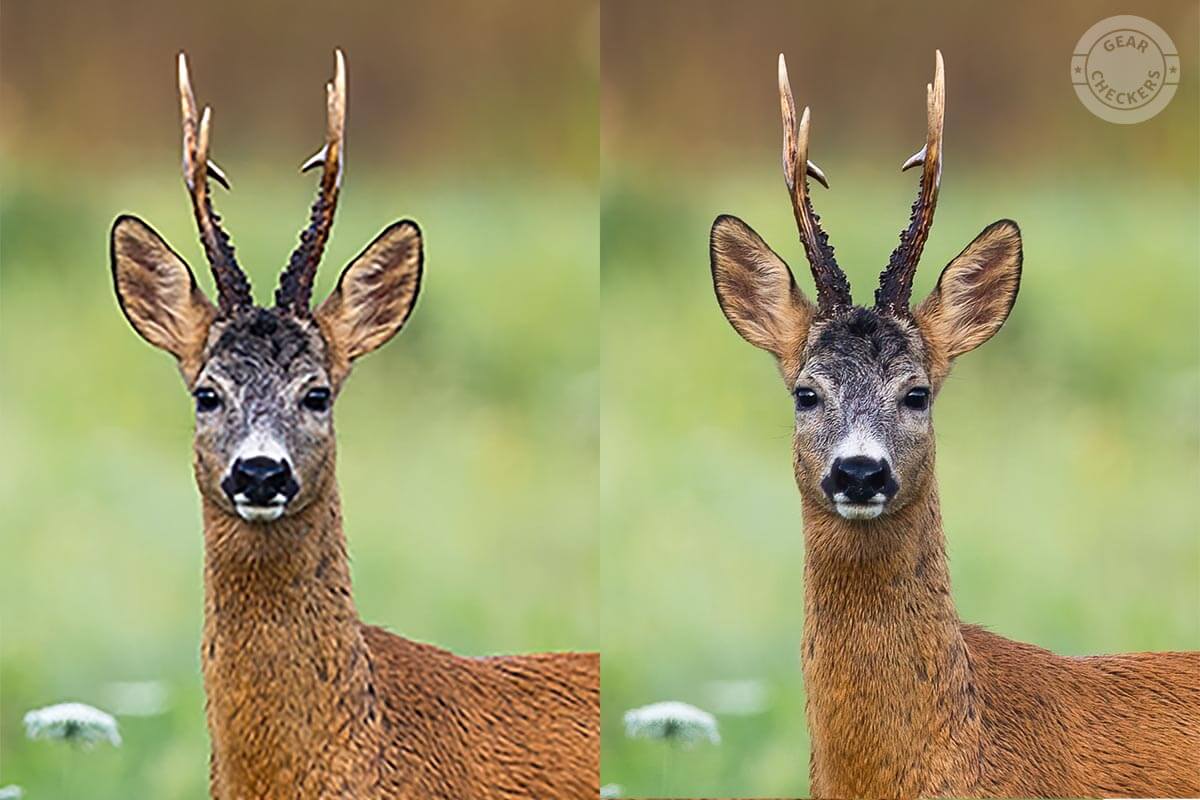
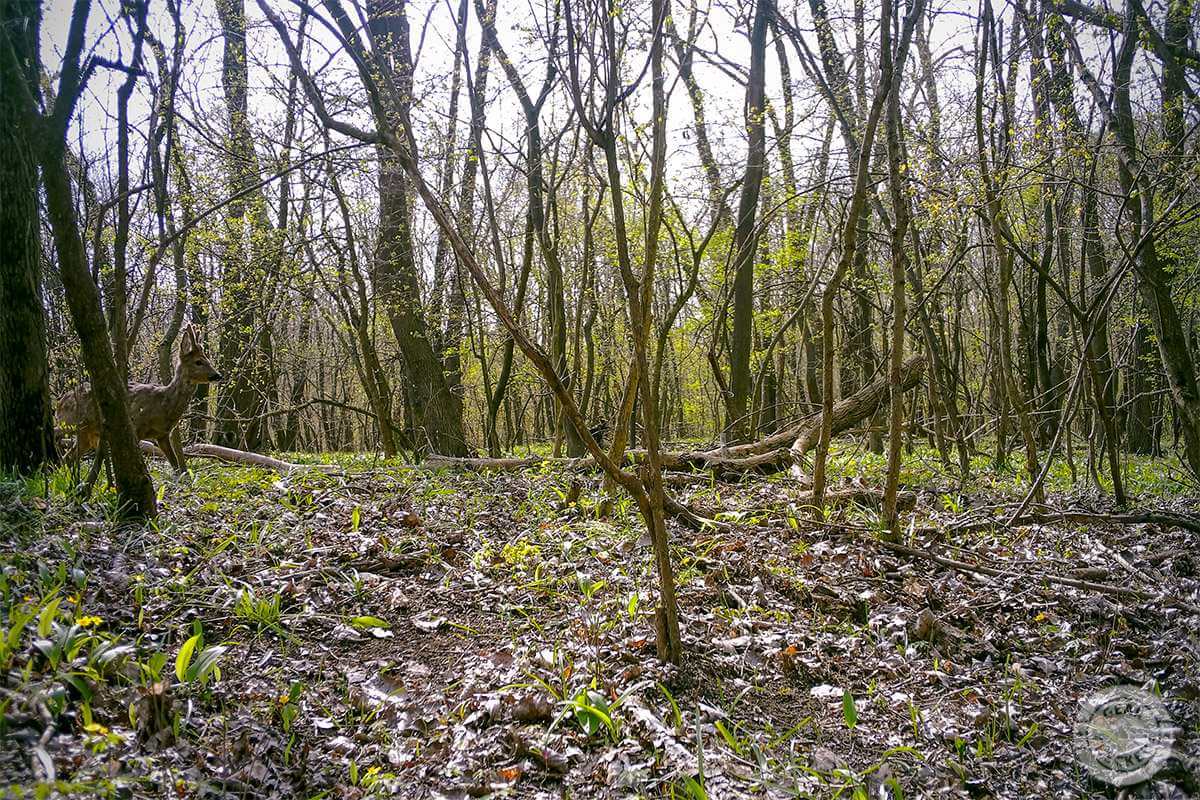


The same interpolation effect appears in videos too. A video recorded in 4K resolution may sound appealing, but if it is full of artifacts and looks “blocky” or “pixelated”, interpolation is the likely culprit.
Before investing in a high-resolution trail camera, try to verify whether the resolution is real or simply the result of interpolation.
How to choose a trail camera: decoding resolution
What should you focus on when choosing a trail camera? The native resolution of the sensor! It tells you how many real pixels the sensor captures. That is what actually determines the quality of your future photos. Manufacturers, however, often “forget” to mention this important number and favor the inflated megapixels created through interpolation.
How can you get past these marketing tricks? In our trail camera reviews, such as our Browning Spec Ops Elite HP5 Ultra field test, we always focus on the real resolution. For every trail camera we test, we determine the sensor’s native resolution. We also list native resolutions in our trail camera database (currently in Slovak, but the spec table and filter are easy to follow without the language). You can set a filter to find the models that genuinely match what you are looking for.
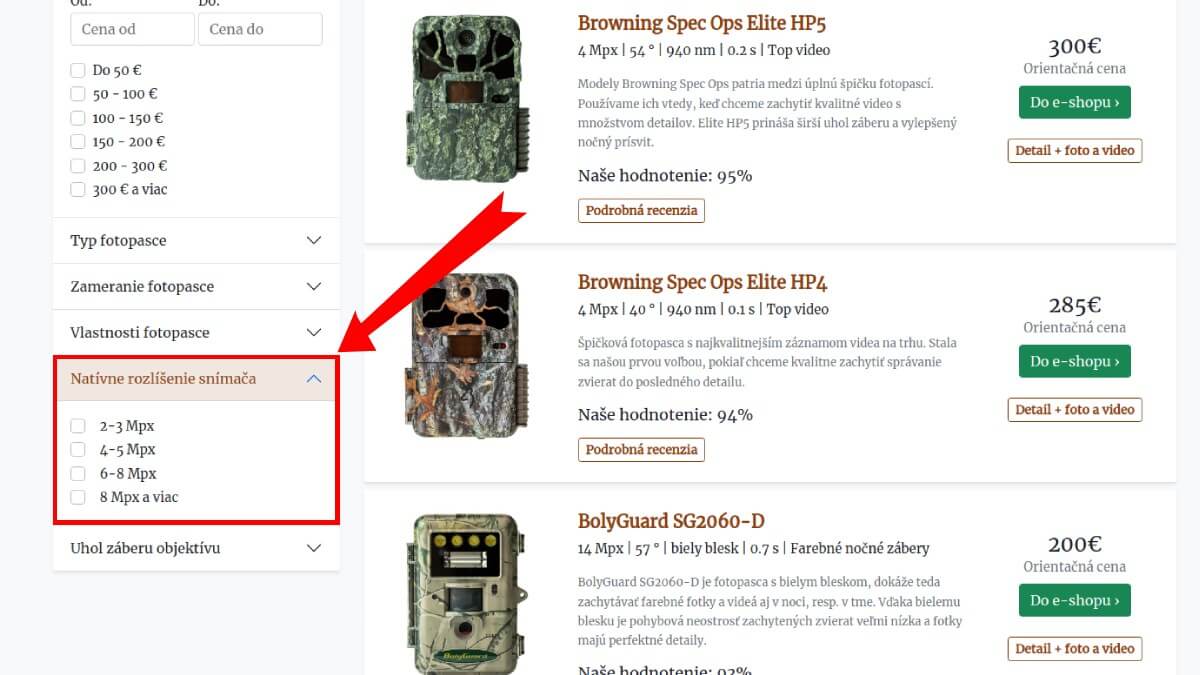
Open the trail camera database (Slovak)
Conclusion: What to take away from this article
We hope you now have a clearer understanding of what real resolution means and why it pays to stay alert when choosing a trail camera. Resolution is the specification manufacturers embellish most often.
They also like to advertise a faster trigger response to motion. Consider this: if a trail camera triggers in 1 second in video mode and 0.4 seconds in photo mode, which value will you find in the product description? To learn which parameters to focus on when choosing a trail camera and how to interpret them, see our trail camera buying guide.
When choosing a trail camera, remember to look “under the hood” and make sure you are really getting what you paid for!