 Jakub Mrocek
  Filip Mrocek
 Browning Spec Ops Elite HP5 Ultra Review: Third Time's the Charm

Our rating
✓ Long-term test
95%
The Browning HP5 ULTRA is the successor to the legendary HP5. After the third firmware update it returned to the very top, and its true 1440p video is among the best we have tested in trail cameras. We currently run it long-term at several sites and plan to switch over to it completely.
290 €
Indicative price
To the shop ›Sample footage from the trail camera
Main pros
- dependable motion sensor
- invisible night illumination
- fast triggering
- Smart IR video feature
- 512 GB memory card support
- solid build quality
- protective boxes available
- top-tier video quality after the firmware update
Main cons
- for the best video quality, install the latest firmware
- night video is limited to 20 s
- higher price
Review overview
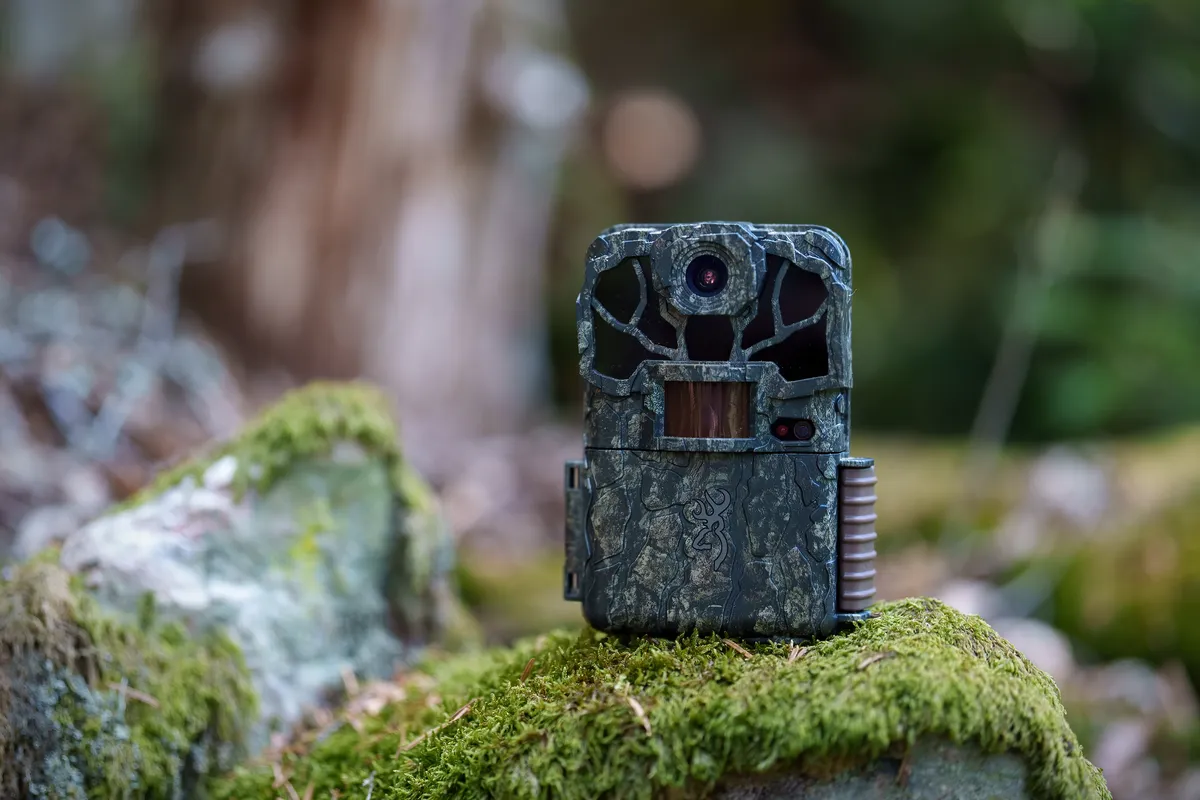
This review of the Browning Spec Ops Elite HP5 Ultra trail camera is based on our hands-on field experience. Since January 2026, we have been running several units at sites in the Slovak Carpathians where we keep other trail cameras deployed long-term, and we have followed this model’s entire evolution: a troubled launch, two firmware fixes, and a third version that finally put it back where the Spec Ops line belongs.
This review covers our experience with video and photo quality, measured recording parameters, real-world battery life, and comparisons with the previous HP5 and the Reconyx HF4K.
The short verdict
If you just want the short answer: the HP5 Ultra is currently the best video trail camera you can buy at a reasonable price. It delivers true 1440p at 60 frames per second, natural colors, a high bitrate, and night video with no quality drop. We now run it long-term at several sites and plan to switch over to it completely.
Only the Reconyx HF4K resolves more detail. It costs nearly twice as much, though, and its PIR sensor is finicky: it almost never triggers in the upper part of the frame, so placement takes a lot more fiddling. Overall it is much harder to work with than the HP5 Ultra.
One essential condition: the trail camera must run the latest firmware. Units sitting in retailers’ warehouses may still have an older version. The update takes a few minutes right in the field and the walkthrough is below.
How we tested
We expected a lot from the HP5’s successor, so we put it straight through a demanding field test at wilderness sites where we keep other trail cameras deployed long-term. That lets us compare footage from the same spot, at the same time, in the same light, especially against the Reconyx HF4K and older Brownings.
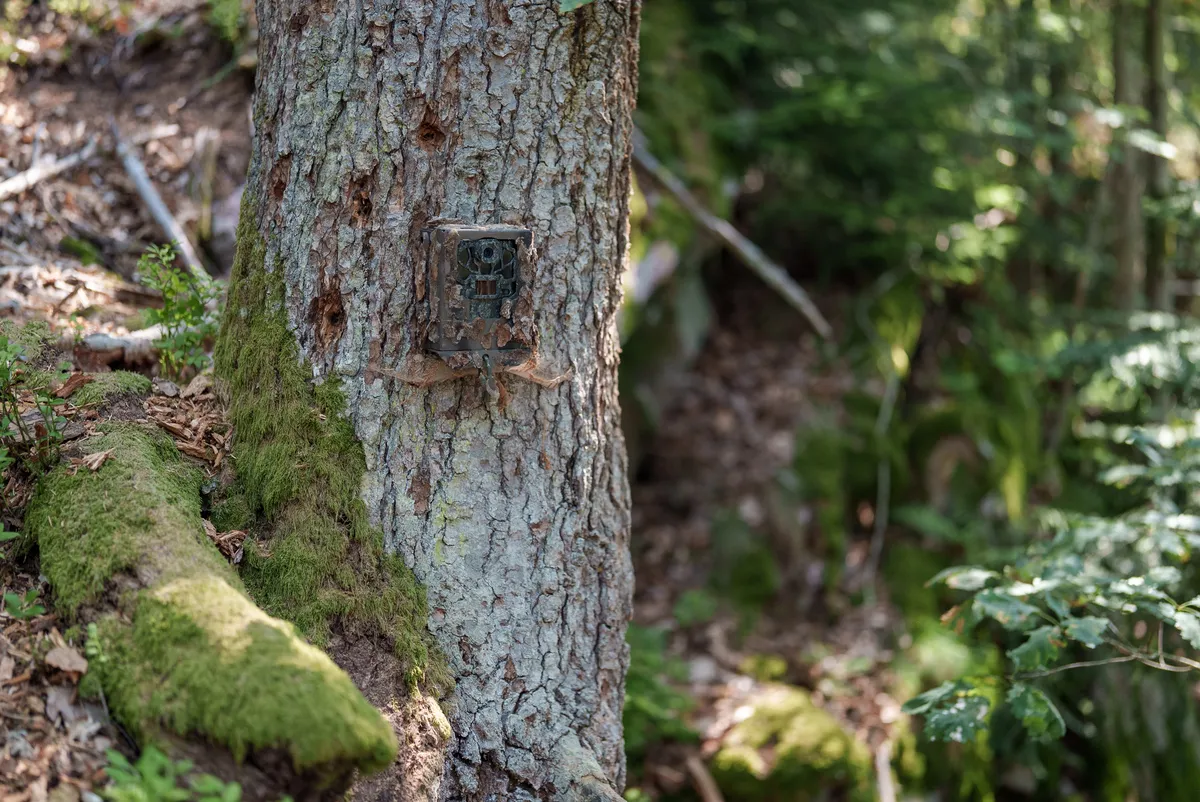
Testing has been running since January 2026. We started with two units to rule out a defect affecting just one unit, and later deployed more. We have run all three firmware versions Browning released for this model, so we can say exactly what each one changed.
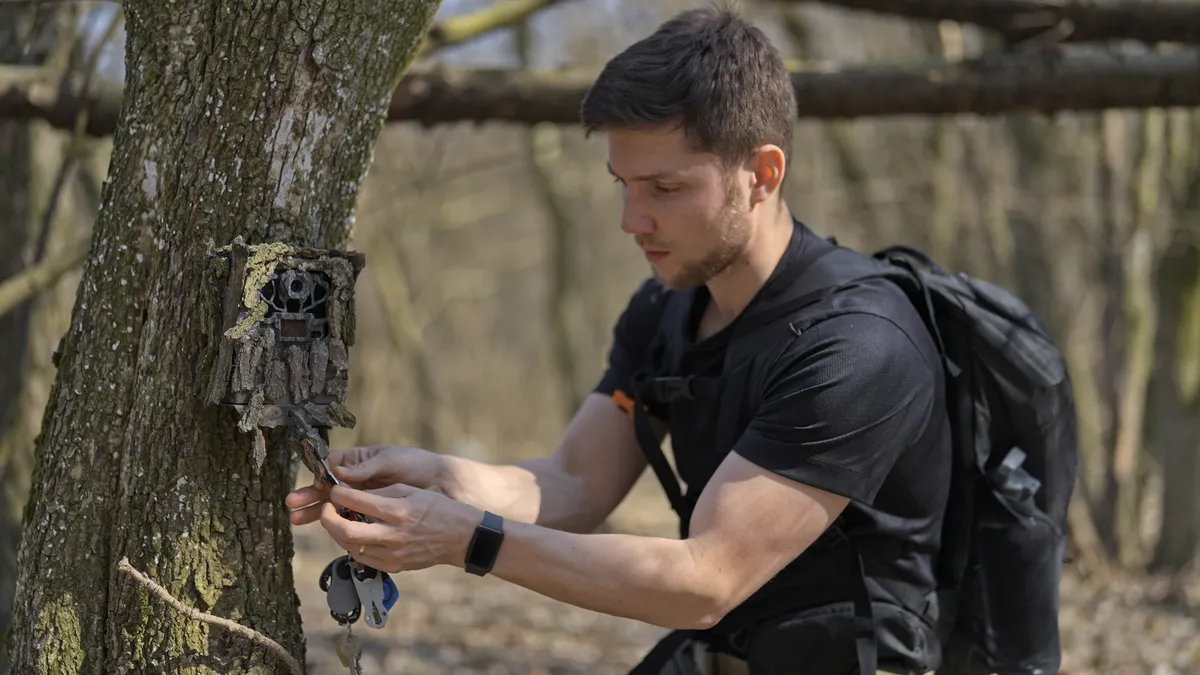
The firmware saga: from coloring-book images back to top-tier quality
The HP5 Ultra’s history cannot be summed up in one sentence because the trail camera sold today produces a completely different image from the model that launched in January and left us genuinely disappointed. It has been through three firmware versions and we ran all three in the field.
The first version (January 2026) was a letdown. The image was dominated by aggressive noise reduction and heavy oversharpening; animal fur melted into flat single-color patches, and footage at dusk looked worst of all, exactly when wildlife is most active. We tested two different units and both behaved the same, so it was not a faulty unit. We keep our original first impressions in the archive at the end of this article, including image samples.
The second version (March 2026) was a clear step forward. In our March update to this article we described it as the fix that put the model back in the game. With hindsight we can be more precise: it did solve the pixelation, but bright backgrounds stayed washed out and the image was still not where it should have been.
The third version, Q03311F (April 28, 2026), finished the job. It fixed the washed-out highlights and the color balance, and added a Full HD 60 fps mode to the menu. Only with this version can we say the HP5 Ultra delivers top-tier image quality. Every rating in this review refers to this version.

We appreciate that Browning listened to the feedback and shipped fixes quickly. It also leaves one practical rule: check and update the firmware on the day you buy the camera. You will find the version in the camera’s SETUP menu; the current one is Q03311F.
How to install the firmware update
The update can be installed in the field using a memory card. There is no need to send the trail camera anywhere.
- Download the new firmware from Browning’s official page (a file with the
.binextension). - Format the memory card in the trail camera (MENU → Format). Back up your data first.
- Copy the firmware file to the root folder of the memory card (directly on the card, not in a subfolder).
- Insert the card into the camera and switch it on in SETUP mode.
- Press the Mode button, then the up arrow, and select Software Upgrade.
- Change the option from No to Yes and confirm. Do not switch the camera off during the update.
- When it finishes, the camera restarts by itself. Check the firmware version in the settings.
- Format the card once more and the trail camera is ready to use.
The whole process takes only a few minutes.
Technical specifications
What is actually new compared to the HP5
From the outside the HP5 Ultra looks identical to the previous HP5. Inside, the electronics are new: a different image sensor and a different processor.
| HP5 (2022) | HP5 Ultra (2026) | |
|---|---|---|
| Image sensor | Sony IMX327, 2.1 MP | Sony IMX675, 5.1 MP |
| Video | 1080p / 60 fps | true 1440p / 60 fps |
| Backlit scenes | bright areas “bled” into the image | handled far better |
| Video bitrate | 12 Mb/s (our measurement) | 46 Mb/s (our measurement) |
| Video file size | approx. 92 MB / min | approx. 330 MB / min |
| Audio | uncompressed PCM, 706 kb/s | compressed AAC, 64 kb/s |
| Night video | max 20 s | max 20 s (unchanged) |
| Firmware | unprotected (a community firmware existed) | cryptographically signed, no modifications possible |
The US site Winterberry Wildlife was the first to identify both sensors; we confirmed the identification through our own analysis of the recordings and our own measurements. This clearly explains the generational difference: the older HP5 had a sensor with a native resolution of exactly 1920 × 1080, so its Full HD video was the maximum it could honestly produce. The Ultra has 2.4 times more real pixels, which is what makes true 1440p possible at all. The new electronics draw somewhat more power while recording (4.75 W versus 4 W for night video); sleep consumption is practically identical, so the effect on overall battery life is minor. The difference in image quality is visible at first glance, especially at higher resolution and in backlit scenes.
Browning advertises photos up to 46 MP, but the Sony IMX675 sensor used in the camera has a resolution of 5.1 MP (2608 × 1960 pixels). The higher values in the menu (8 / 12 / 46 MP) are created by interpolation (software upscaling that adds no new detail). We took this marketing trick apart in our article on misleading megapixels. This model’s real progress is elsewhere: in video.
Video quality: the main reason to buy the HP5 Ultra
To sum it up in advance: video from the HP5 Ultra has plenty of detail, natural colors, and equally good quality day and night. With the third firmware version, we rate it as the best we have seen in this price class. Here is a compilation of real day and night footage from our sites:
1440p resolution straight from the sensor
The HP5 Ultra records video at 2560 × 1440 pixels straight from the sensor. This is not interpolation like the photos; a 2560 × 1440 crop fits comfortably inside the sensor’s real resolution (2608 × 1960 pixels). In practice, it means you can zoom into the image noticeably further than with Full HD and still see the details that matter: fur texture, twigs in the background, the structure of the terrain.
In the trail camera world this is not a given. Most manufacturers inflate video resolution the same way they inflate photo megapixels; the HP5 Ultra is one of the exceptions that genuinely capture the resolution they claim.
A specific frame best shows how much detail you have to work with. Here is the full frame from a summer video:
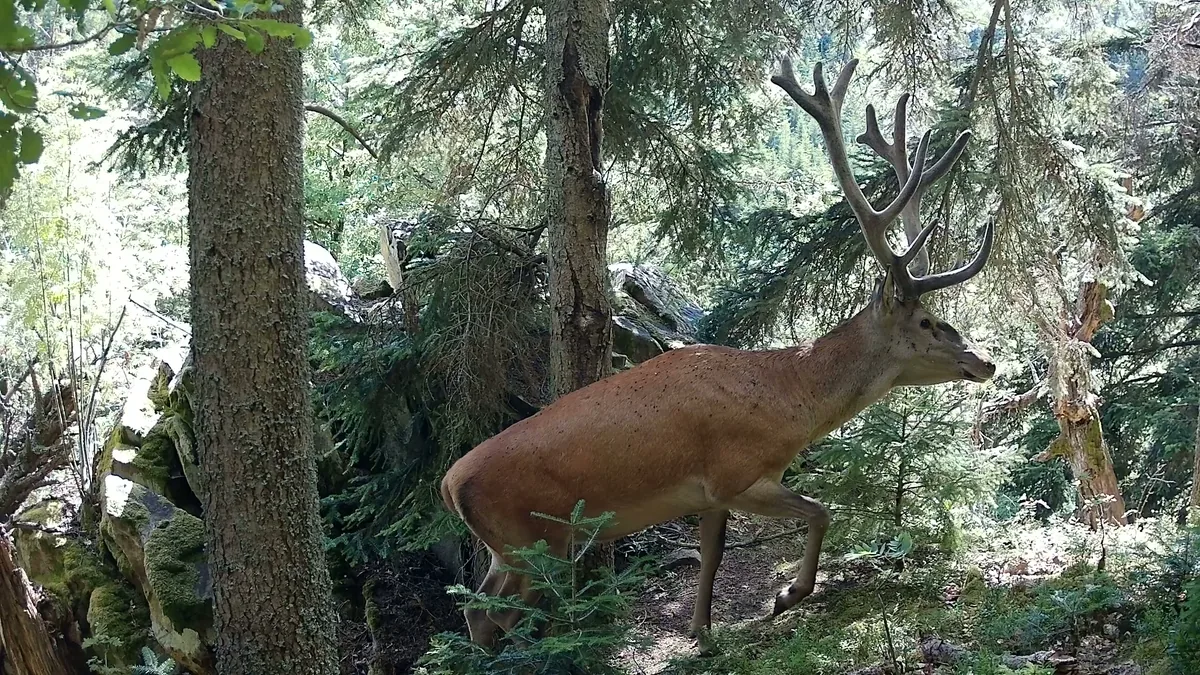
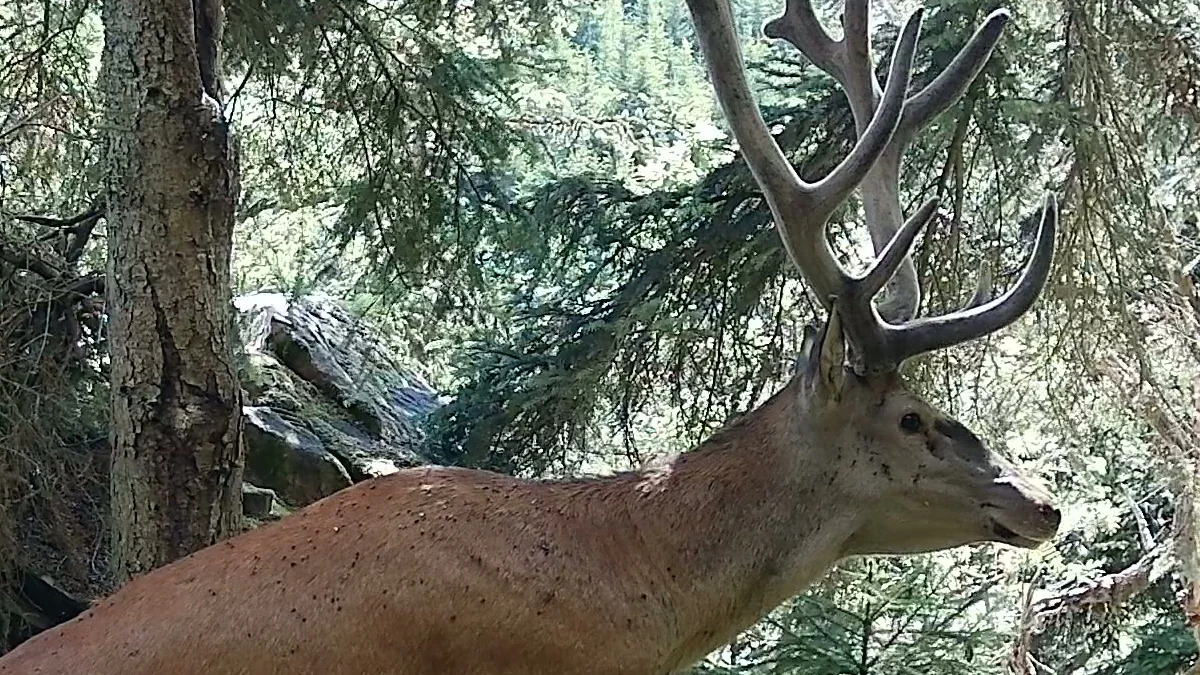
Here is a full-resolution crop from the same frame. The image is sharp enough to count individual flies on the stag’s coat. That level of detail is useful whenever you need to zoom in. For example, we tell individual lynxes apart by their spot patterns. It will also appeal to viewers who simply enjoy footage rich in detail.
Measured video parameters
We took the recording parameters directly from the files on our cards:
| Parameter | Day video | Night video |
|---|---|---|
| Resolution | 2560 × 1440 | 2560 × 1440 |
| Frame rate | 60 fps, constant | 60 fps, constant |
| Bitrate | 46 Mb/s | 46 Mb/s |
| Codec | H.264 | H.264 |
| Audio | mono, 64 kb/s | mono, 64 kb/s |
| Max clip length | 2 min | 20 s |
Bitrate determines how much data the camera can store for each second of footage, and therefore how hard it has to compress the image. Video compression works primarily by encoding changes between frames. While the scene is calm, it needs little data and even a cheap trail camera’s video looks decent. The problem arises in exactly the situations that matter most in the woods: running animals, wind in the canopy, rain, or snowfall can change almost the entire frame at once, and a camera with a low bitrate has too little data available to record those changes. The image then falls apart into blocks, fur becomes a smudge, and grass becomes a uniform surface.
The HP5 Ultra writes 46 Mb/s; on the older HP5 we measured around 12 Mb/s. The Ultra therefore has nearly four times the data budget for each second of video, and that is exactly why its image holds together in motion and in busy scenes. And note the night column: night video has exactly the same parameters as day video. Same resolution, same frame rate, same bitrate. That is not the norm among trail cameras; most models quietly lower quality at night.
The practical consequence: a minute of footage at the highest quality takes roughly 330 MB. We return to that in the memory card section.
A natural image without aggressive processing
Colors look natural, without oversaturation. Dynamic range (the ability to capture dark and bright parts of a scene at once) is very good for a trail camera: texture stays readable in the shadows and in the highlights. It cannot match a cinema camera, but within the trail camera category it is above average.
Image processing is tuned sensibly after the third firmware. Sharpening is mild and noise reduction is applied mainly to the static parts of the image: the background comes out clean, while fine noise remains on a moving animal. That is not a flaw but the right call (noise reduction by frame averaging only works on static areas; if the manufacturer applied it to a moving animal too, it would smear its detail). Sharpening also favors fine details such as fur over broader surfaces like tree bark, so the image can feel slightly uneven in places. That slight unevenness is still manageable in post-production, and footage straight from the camera looks good: if you process your clips further you have plenty to work with, and if you do not, the output is usable straight off the card.
The behavior in backlight deserves a mention too. The older HP5 had a habit of burning out scenes with a strong light source: bright areas “bled” into the rest of the image. The new sensor handles this substantially better: you can shoot into backlight without worrying that the trail camera will fail to cope.

Night video is limited to 20 seconds
During the day the HP5 Ultra records clips up to 2 minutes long; at night every clip ends after 20 seconds. This is not new to this model, Brownings have had the same limit for years; it protects the batteries and the night illumination and cannot be changed. It applies to the latest firmware too: a night file is exactly 20 s.
For everyday wildlife monitoring it is enough. But if you want long night sequences of animal behavior, this is the biggest limitation of this trail camera. The classic HP5 had a community-modified firmware that could bypass the limit; the HP5 Ultra’s firmware is cryptographically signed, so no modifications are possible.
Audio
The trail camera records mono audio in AAC format at 64 kb/s. The older HP5 stored audio uncompressed (PCM, 706 kb/s), so on paper this is a step back; in practice the recording is comparable in quality despite the compression, perhaps a shade weaker, and still very decent next to most trail cameras. If you need higher audio quality, the Reconyx will surprise you: it records in stereo (AAC, 128 kb/s, 48 kHz) and its sound is noticeably more lifelike.
Night illumination
The HP5 Ultra uses invisible night illumination at a wavelength of 940 nm. No visible LED lights up during recording, so neither wildlife nor a potential thief is alerted. Our footage confirms it: over the entire test period, no animal ever looked straight into the trail camera. Either the animals cannot see the illumination, or it does not bother them.
Night scenes in our footage are well lit. The Illuma-Smart feature automatically adapts the illumination intensity to the animal’s distance, and it works in practice: nearby animals are not burned out to white and more distant ones do not vanish into the dark. The manufacturer quotes an illumination range of up to 30 meters; we have not measured the range ourselves yet and a full night test is in the works.

For completeness: US reviewers describe a more concentrated illumination beam in wide scenes (bright center, darker frame edges). We have not observed this effect at our sites so far, but we aim our trail cameras at natural wildlife corridors, not open ground.
If you do not need invisible illumination, there is a sister model, the Recon Force Elite HP5 Ultra, with classic red-glow illumination: it has longer reach and slightly sharper night footage. In Central European conditions we prefer the Spec Ops: many species react to visible glow by fleeing (wolves, wild boar, bears; it depends on the site and the animals’ prior experience), and invisibility also helps against theft.
A dependable PIR motion sensor
The motion sensor is exactly what we are used to from Brownings: fast and dependable. Over several months, all our units have behaved just like the previous models whose sensors we have relied on for years. That triggering reliability is why Brownings are our main trail cameras on projects where the output matters.
Over the whole test period, false triggers made up 21.3% of all videos. These are recordings with no animal or person in them; we measured the share with our TENTAUR Sense software. For a trail camera, that is an excellent result: the test included the spring months and tricky scenes where false triggers peak, and in similar conditions other trail cameras easily exceed 50% in our experience.
We measured the trigger speed at 0.2 s for photos and 0.3 s for video on the fast setting; on the slower setting it is roughly 0.7 s. Detection range is adjustable at two levels: Normal (18 m) and Long Range (30 m). A proper test of the PIR sensor’s real range is in the works and we will add the results to this review.
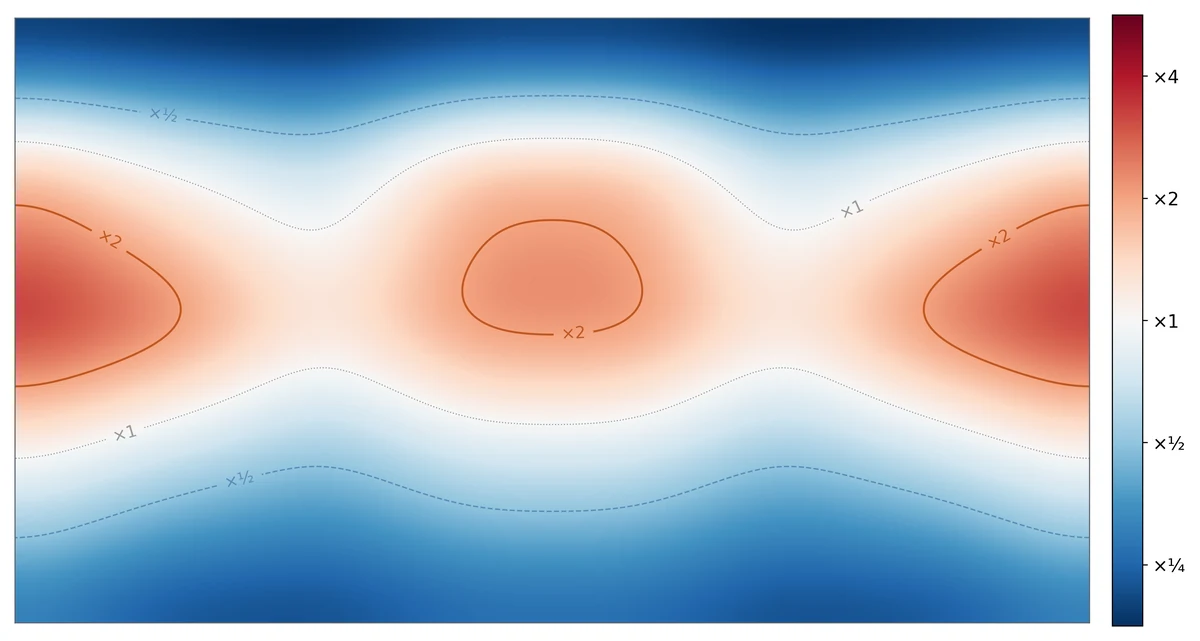
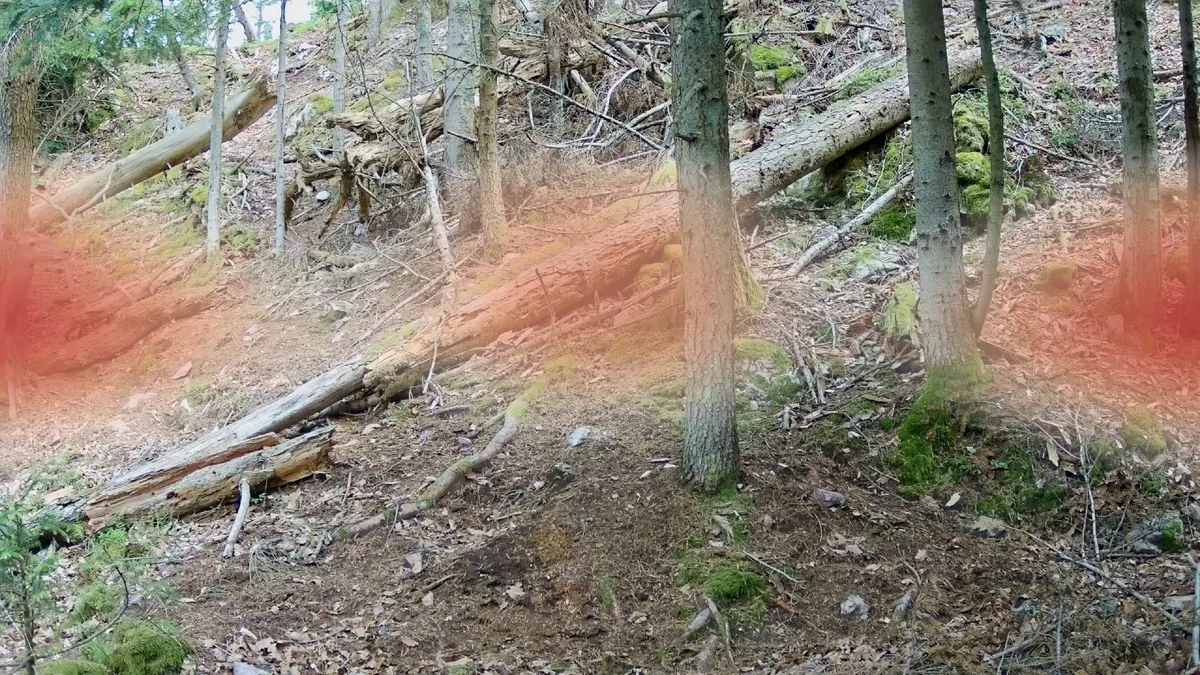
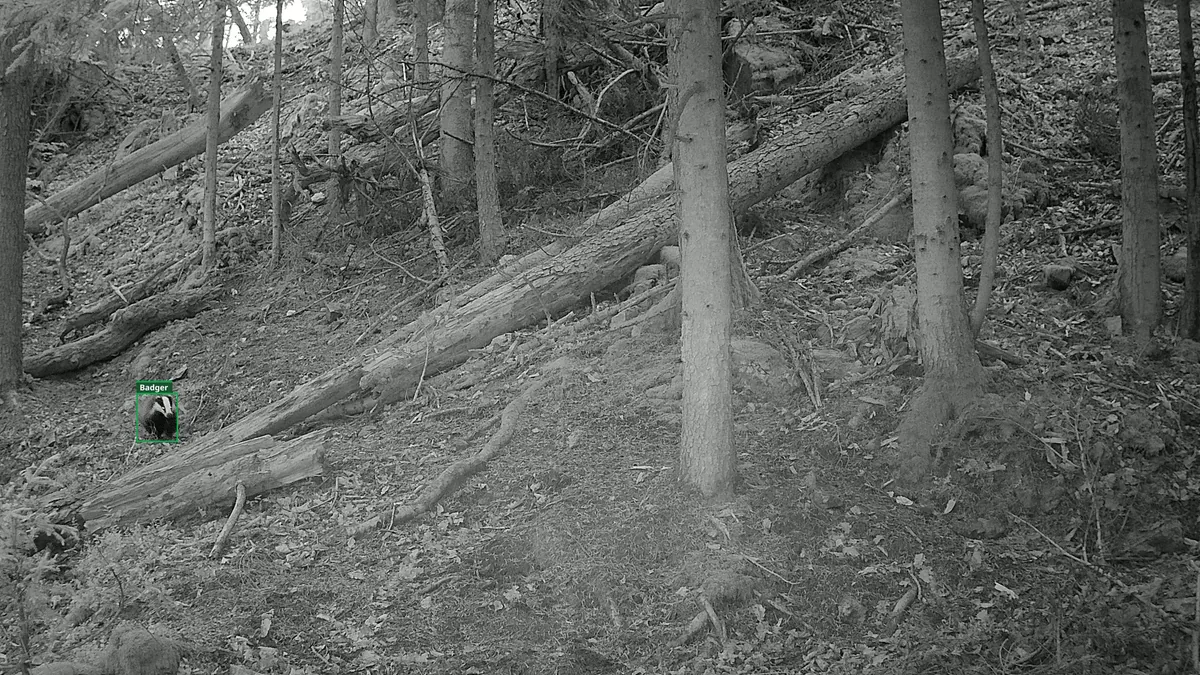
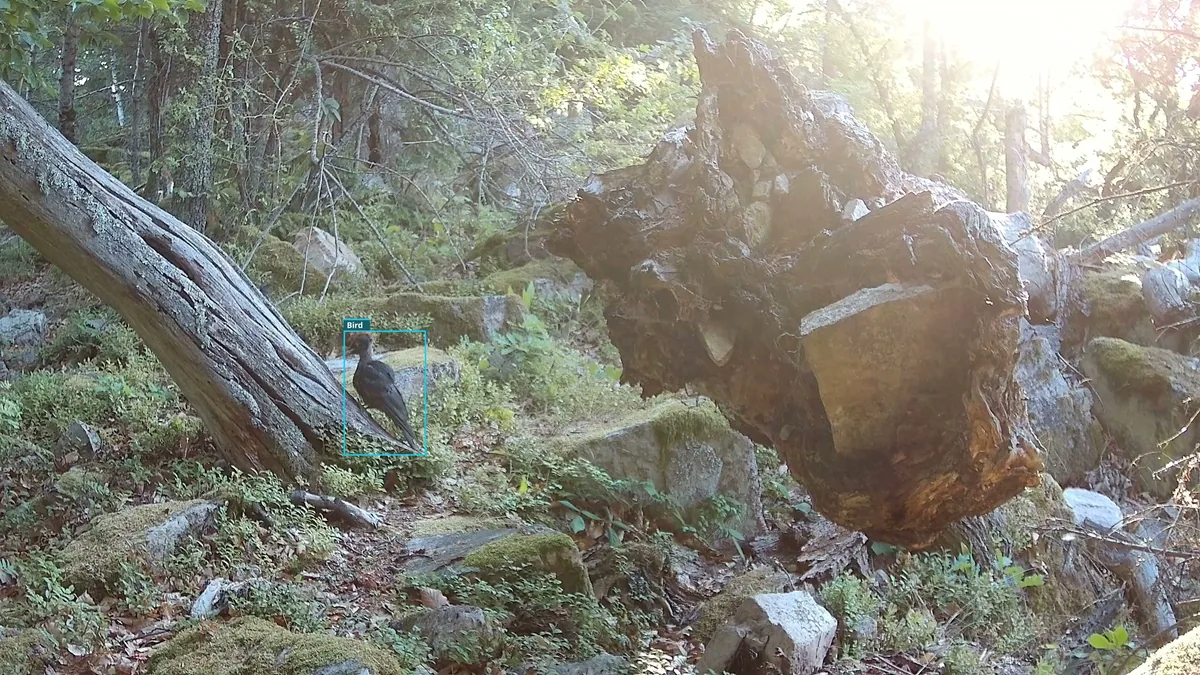
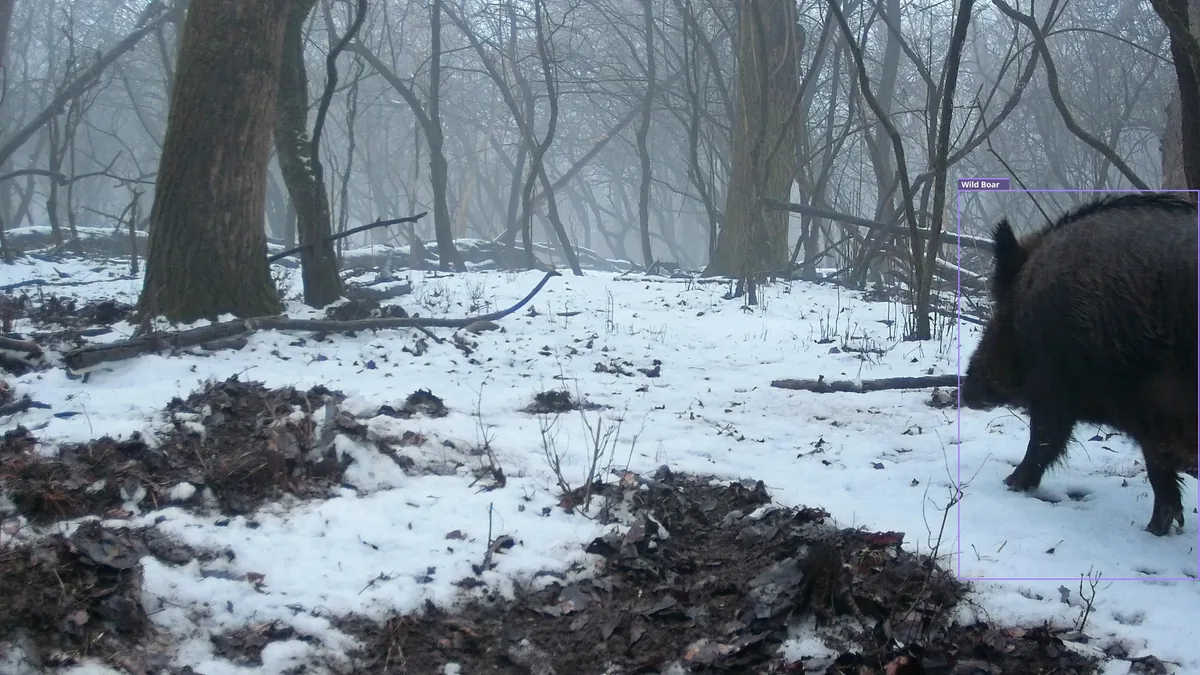
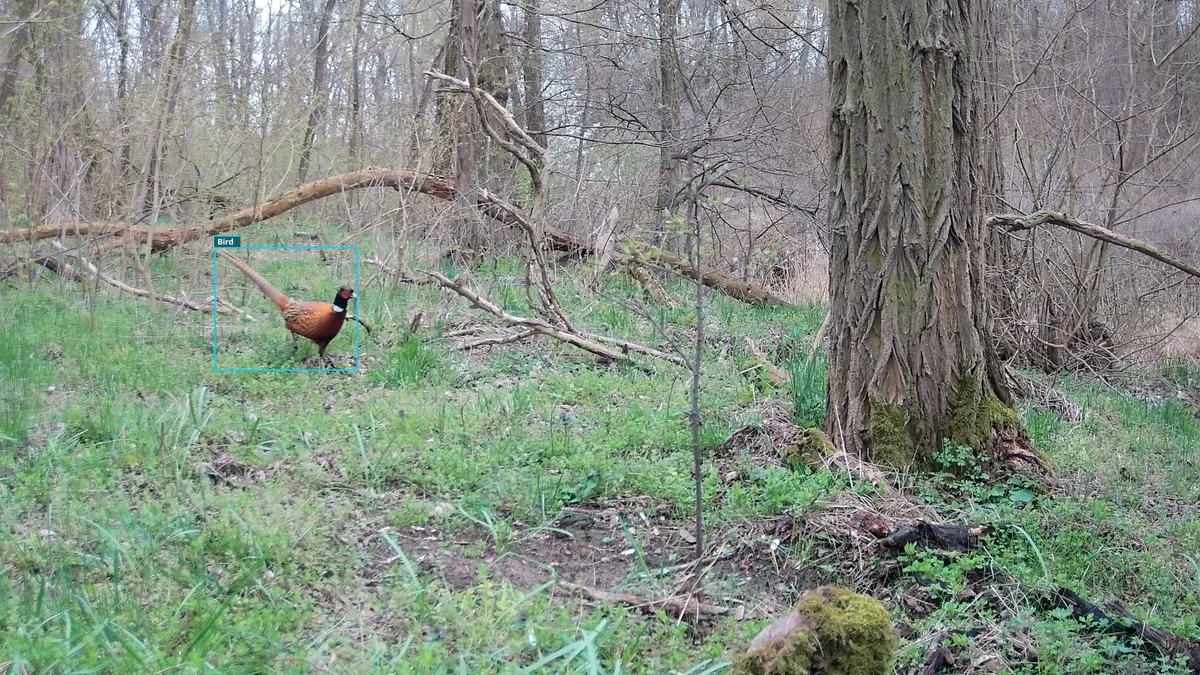
The map shows where in the frame the HP5 Ultra actually starts recording. We built it from 1,092 videos from 9 sites. In each video, an animal appeared in the frame within the first few seconds, so it was most likely what triggered the recording. Its position at the start of the video therefore reveals where the sensor reacted. Red marks places where more recordings started than a uniform distribution would predict (×2 = twice as many). Blue marks places where fewer started. We collected and processed the data with our TENTAUR Sense software. More about it soon.
A simple practical rule follows: the HP5 Ultra triggers most often in two side hotspots and in the center of the frame. Do not rely on the bands along the top and bottom edges. If you place the trail camera so the expected animal path crosses one of the hotspots, you greatly improve the odds of catching the animal in time.
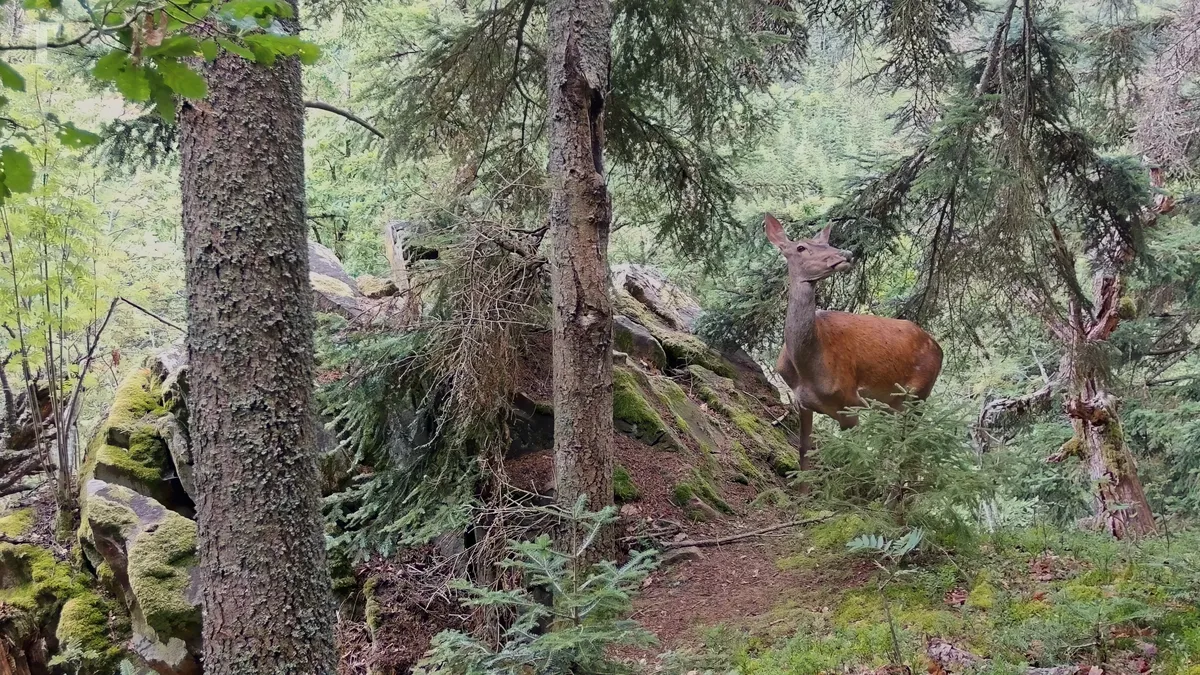
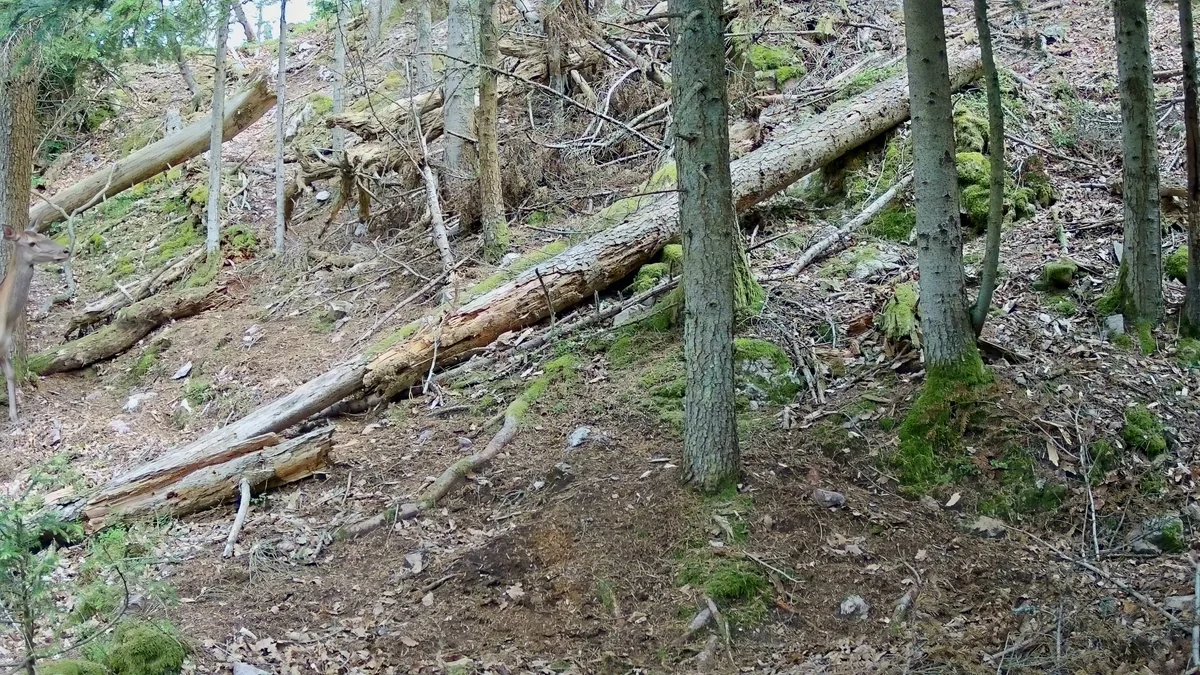
This is what it looks like in the field. A red deer hind enters the frame from the side, straight through the left hotspot. In the first frame of the video only her head and neck are visible, the rest of her body is still out of frame, and the trail camera is already recording.
The same frame with the trigger zones overlaid: the hind enters the frame exactly through the left hotspot, where the sensor responds most reliably.
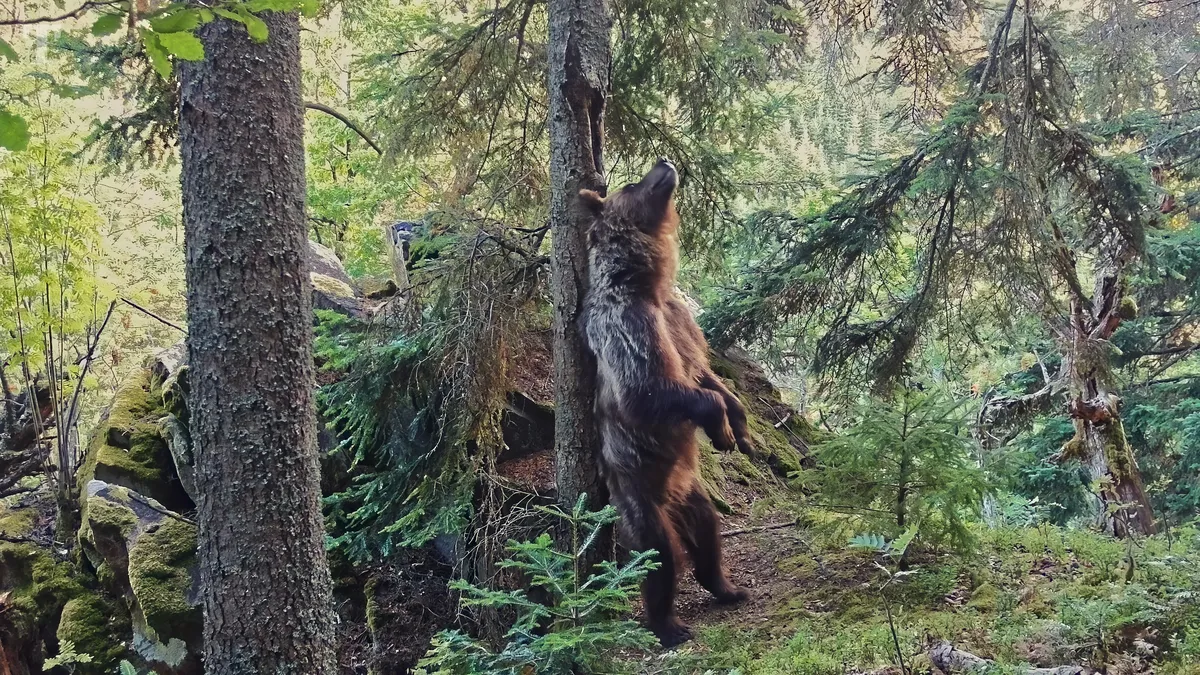
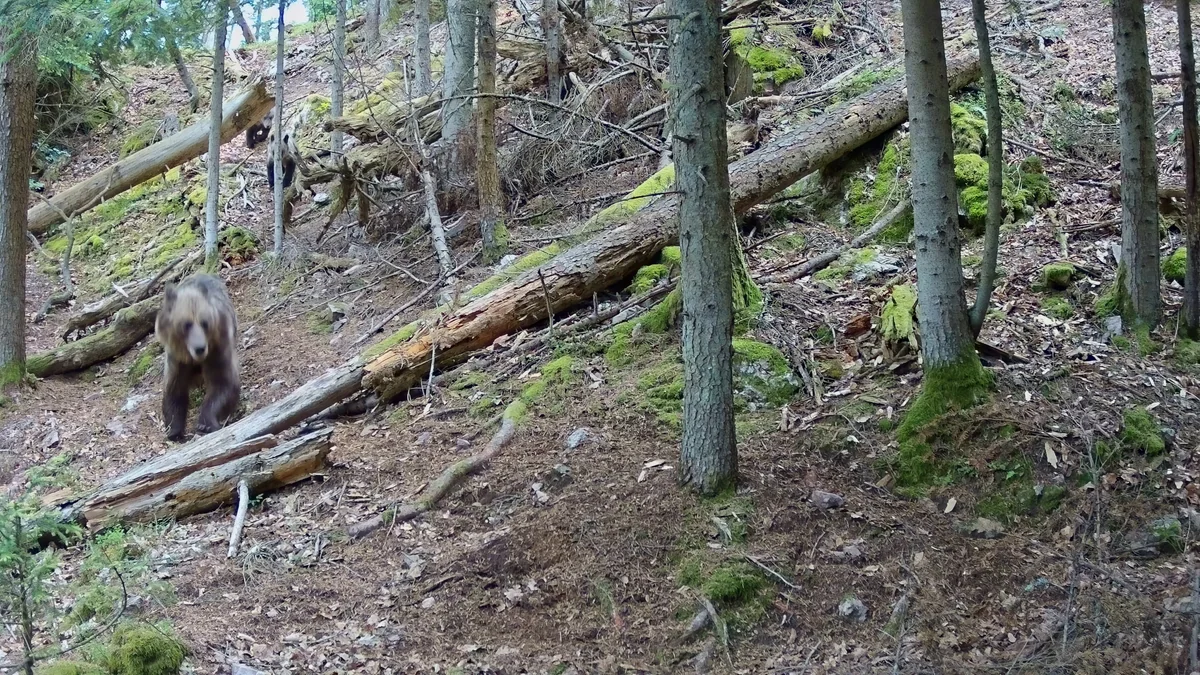
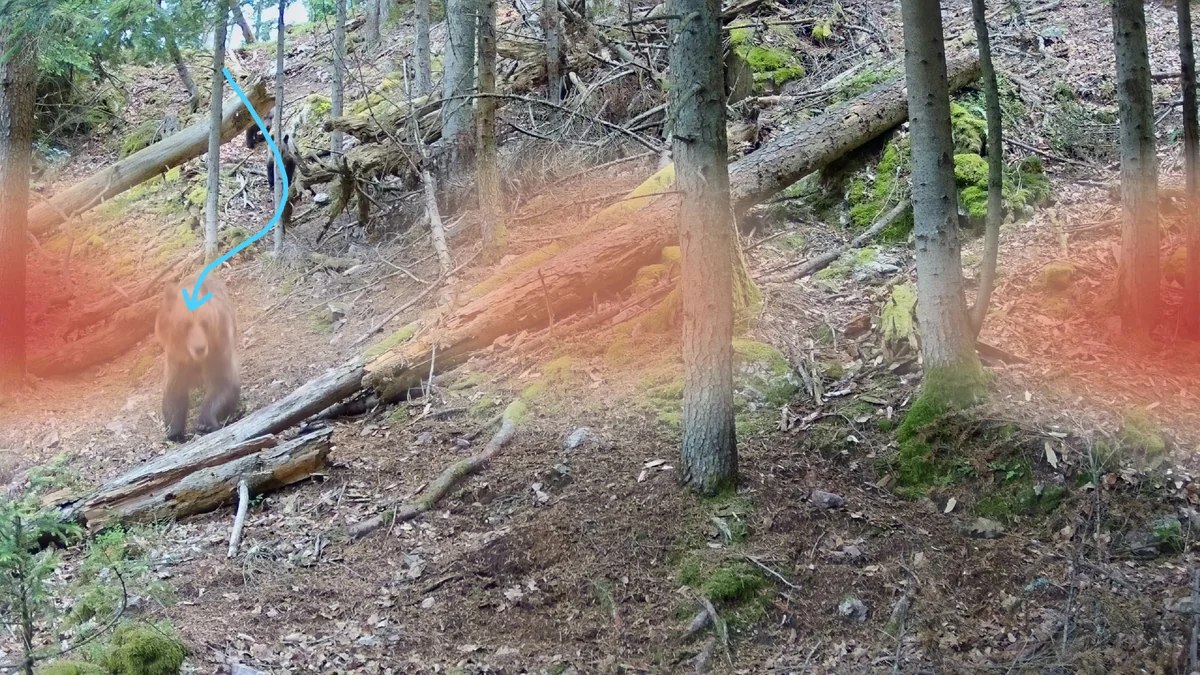
A second example: a bear sow with two cubs runs down the slope. From the positions of the cubs, which are following her along the same path, we can estimate where the trio came from. She must have been in the upper part of the frame for several seconds before recording started. The trail camera reacted only once the sow reached the left hotspot.
The blue arrow shows the sow’s estimated path, and the trigger zones are marked in red. In the upper part of the frame the sensor did not start recording; it reacted only in the left hotspot.
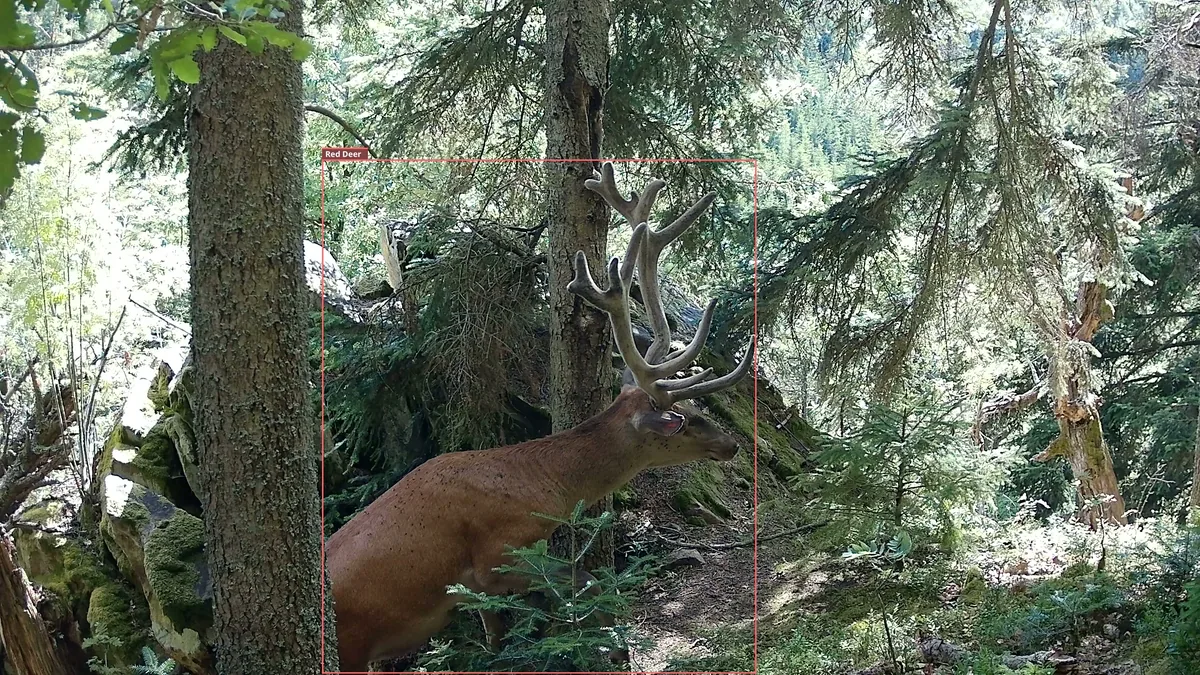
The third example focuses on terrain and features a pair of red deer stags at the same site. The first approached from the right. On that side, the terrain leads animals straight through the right hotspot, so the sensor reacted instantly. In the first frame of the video, the stag is only just entering the frame.
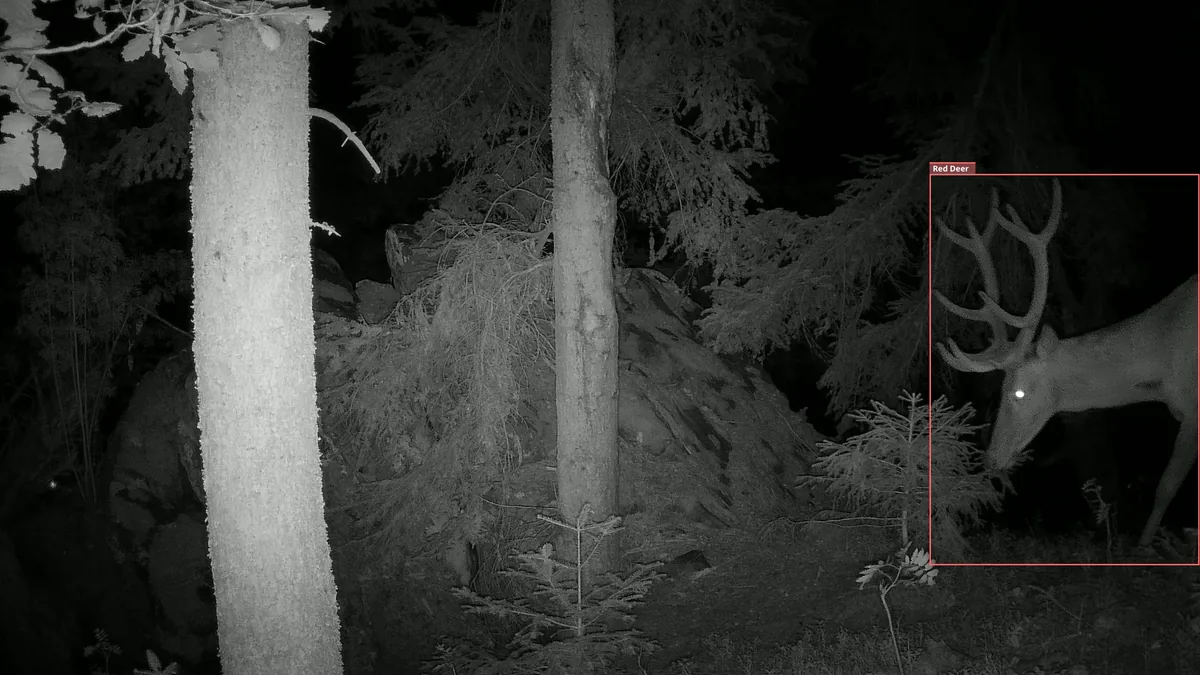
The second stag approached from the opposite side. The terrain drops away on the left, so the stag passed below the left hotspot and the sensor did not react until the animal was already in the middle of the frame. You could call that a late trigger. Thanks to the trigger map, though, we at least know why it happened: the camera did not fail; the stag simply walked under the trigger zone. When choosing a spot, consider whether the terrain leads animals through the hotspots or below them.
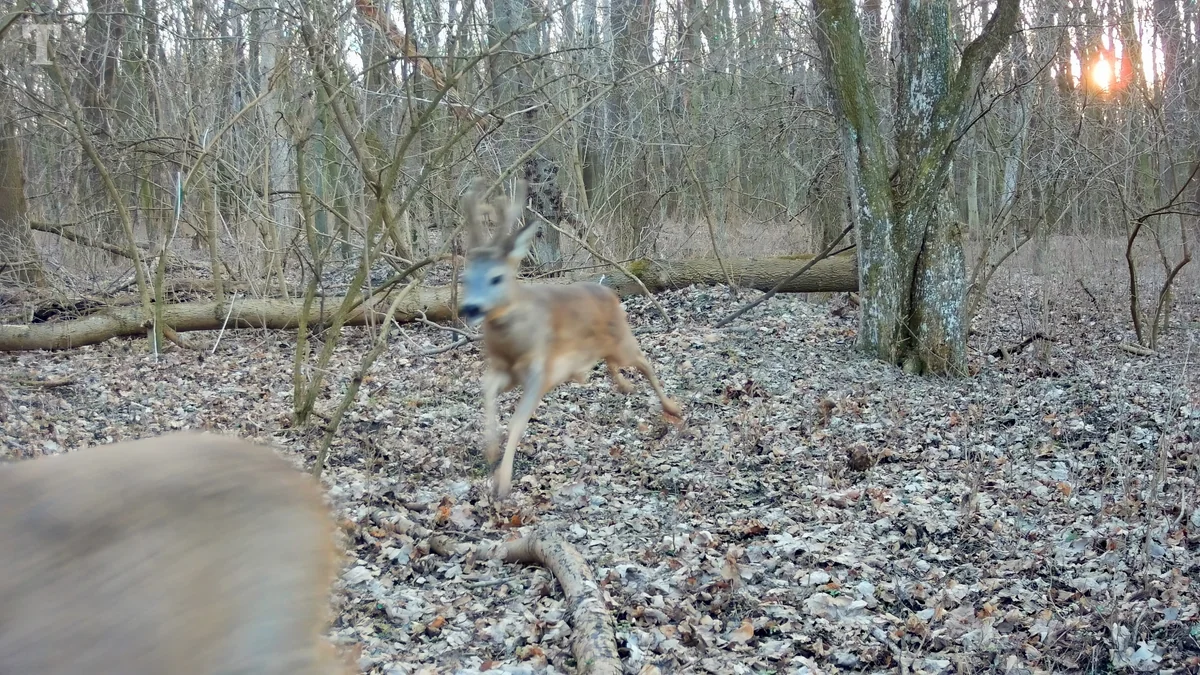
The last example is about speed. In the first frame of the video we see two roe bucks at a full sprint. Recording was most likely triggered by the first of them crossing the central hotspot. At that pace, though, even 0.3 s was enough to cover real distance, so he is already leaving the frame and all that remains of him is a motion-blurred streak. This is not a criticism of the HP5 Ultra. Almost no other trail camera would catch bucks running at this speed at all. Instead, it demonstrates the physical limit of any PIR sensor when detecting sprinting animals.
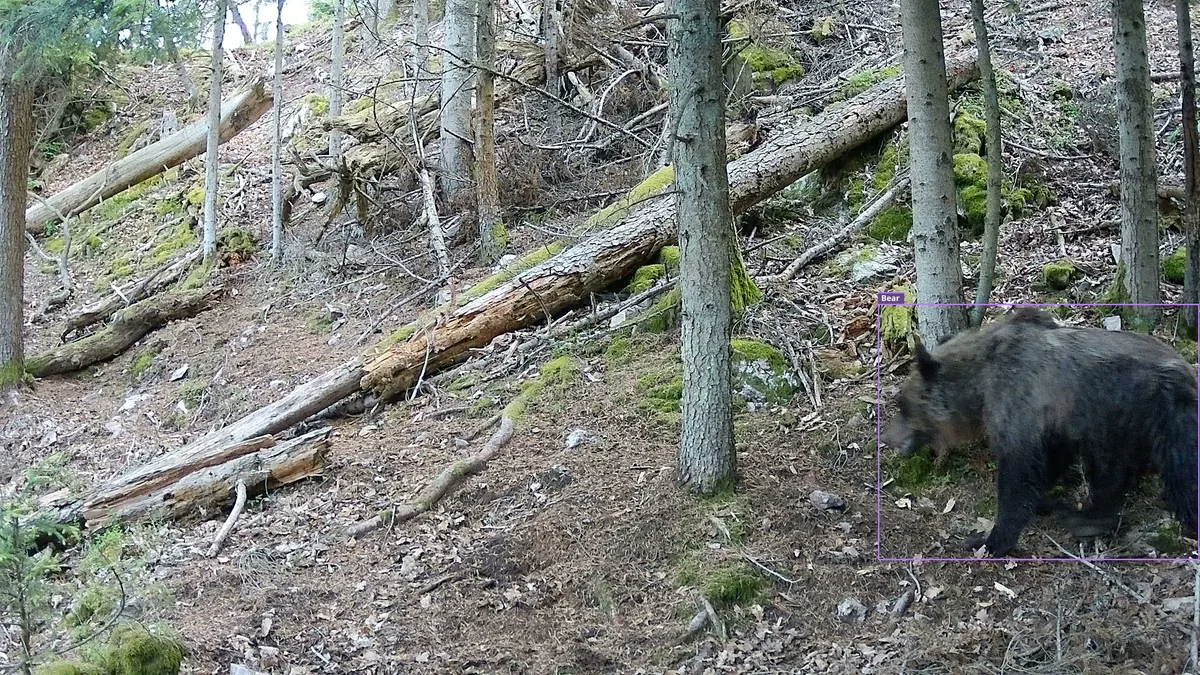
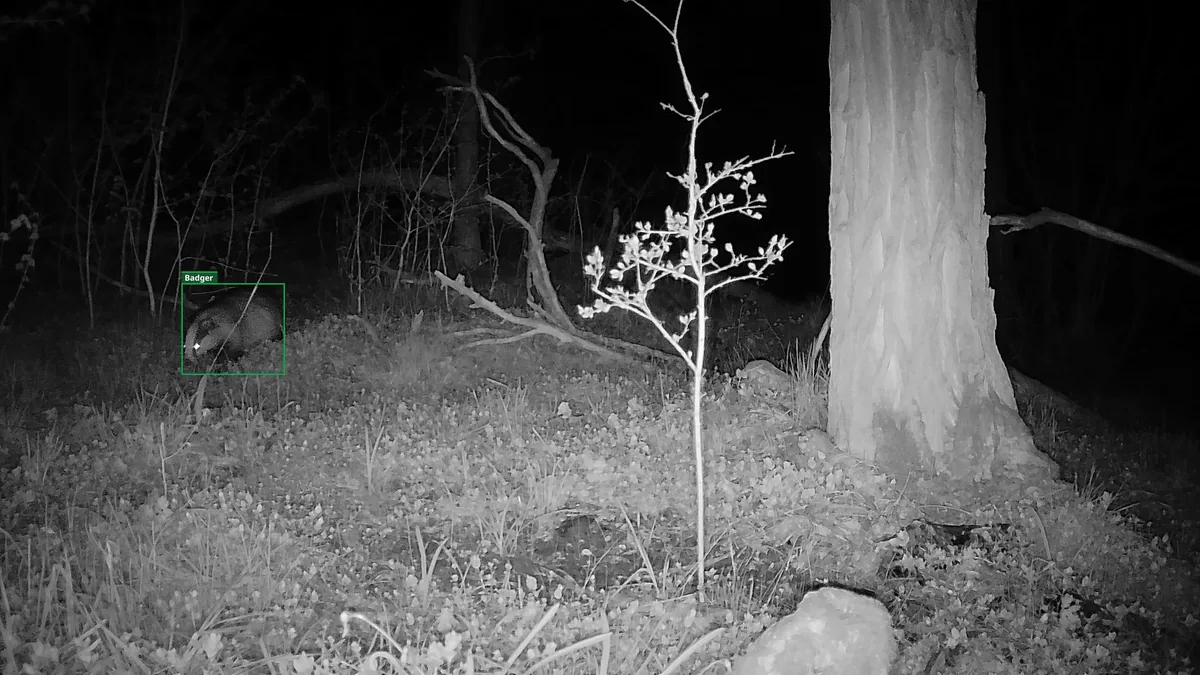
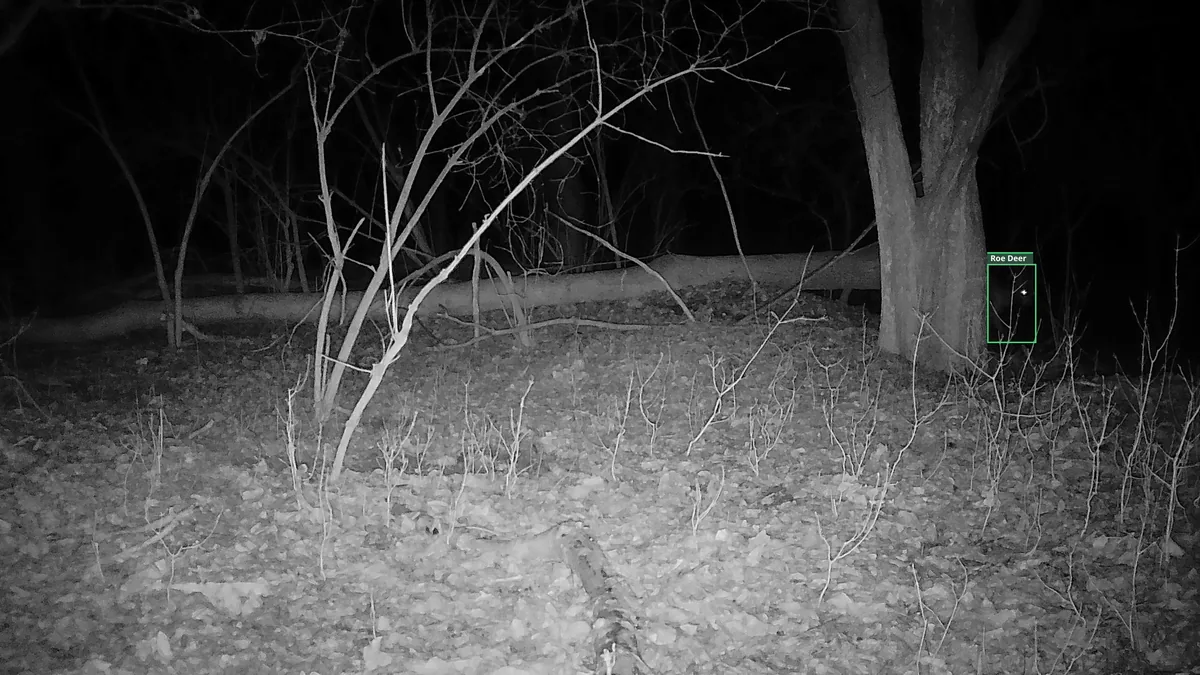
Gallery: first frames from other videos
We have also added first frames from other videos recorded at different sites. The boxes were added by TENTAUR Sense during automatic animal detection. In some frames, the camera caught the animal right at the edge; in others, the animal was farther into the frame. Compare the animal’s position in each first frame and judge the trigger timing for yourself.

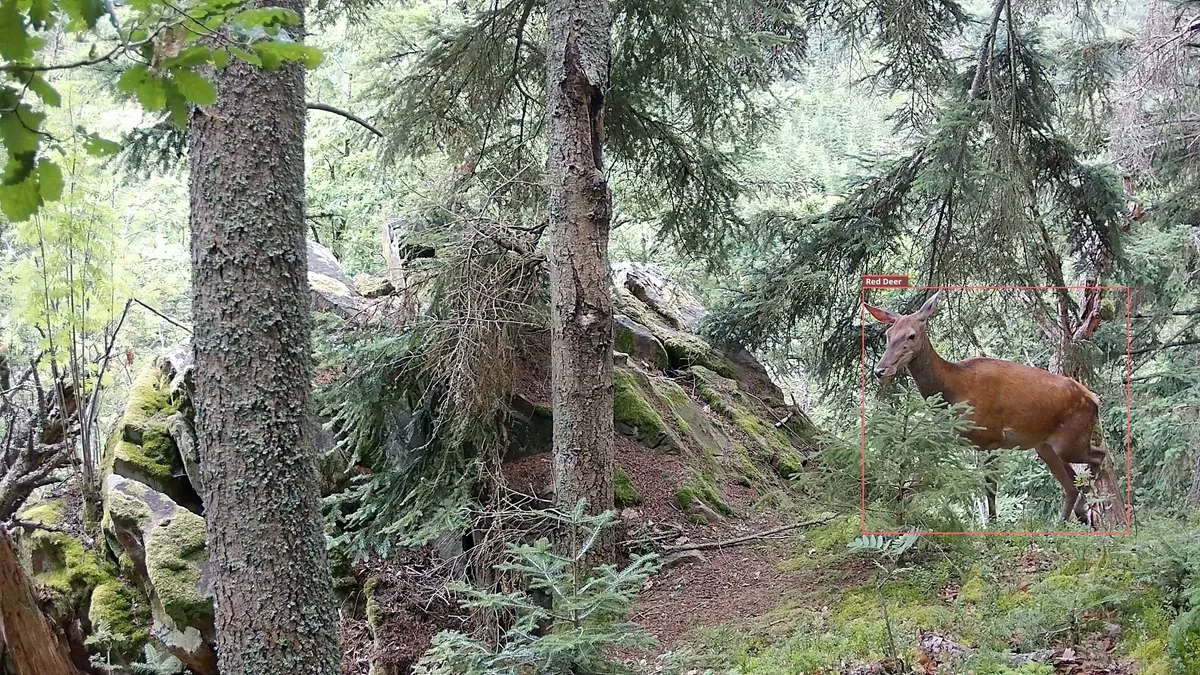
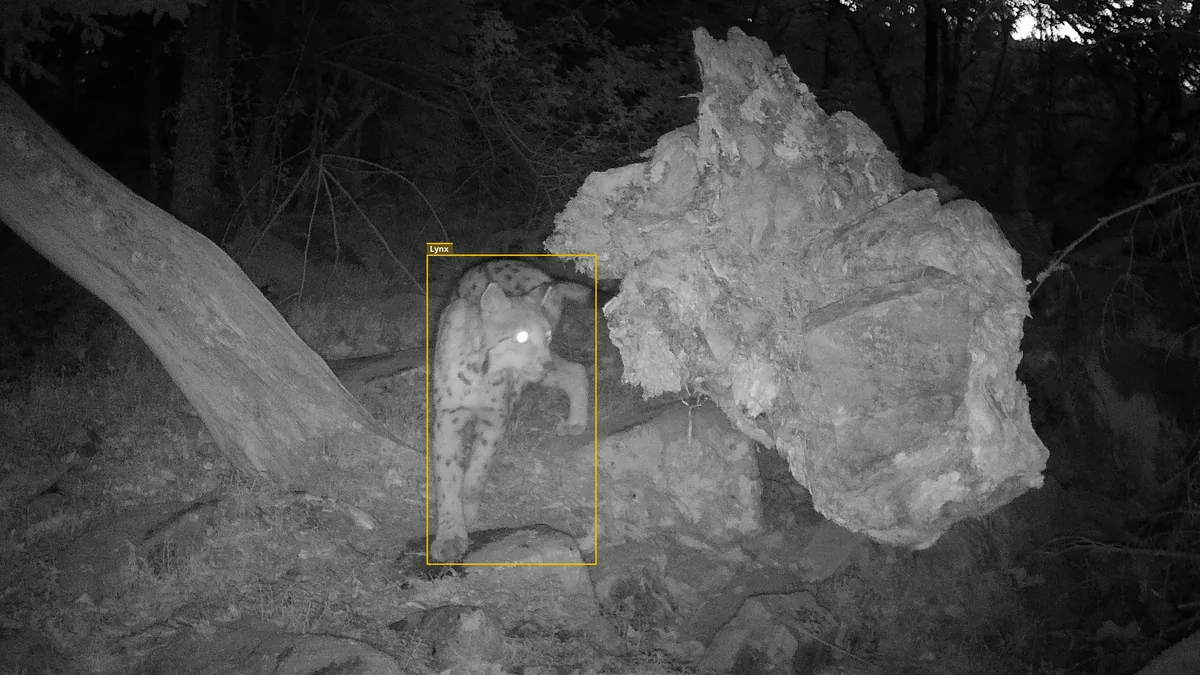
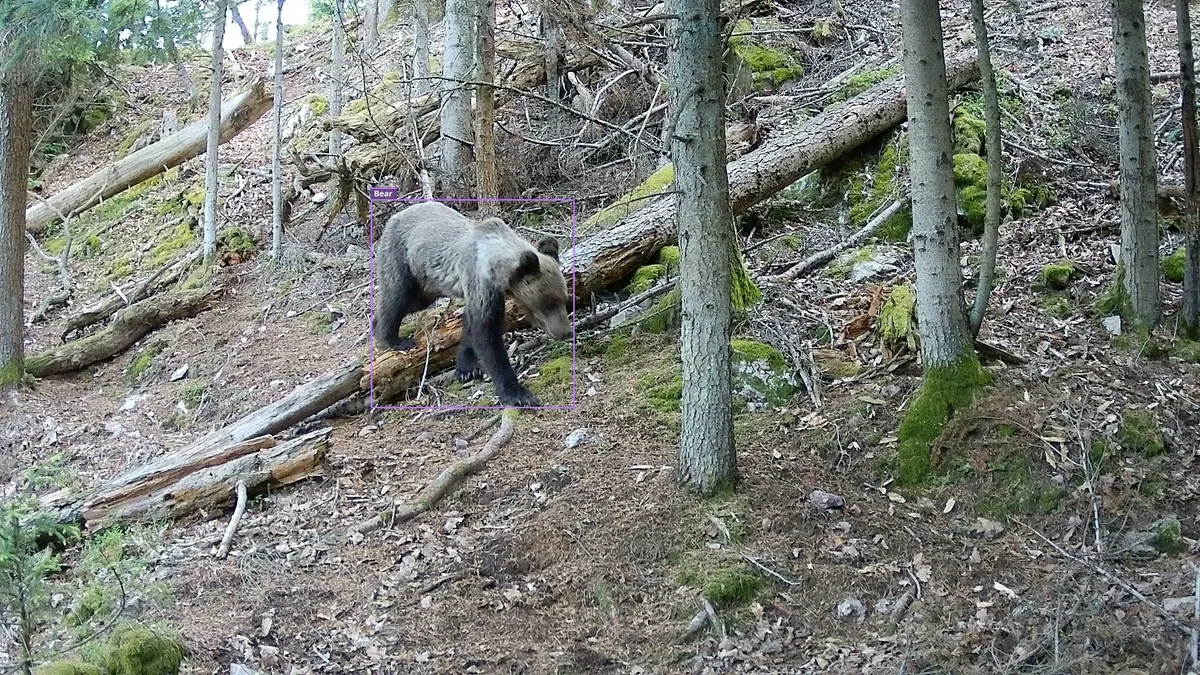
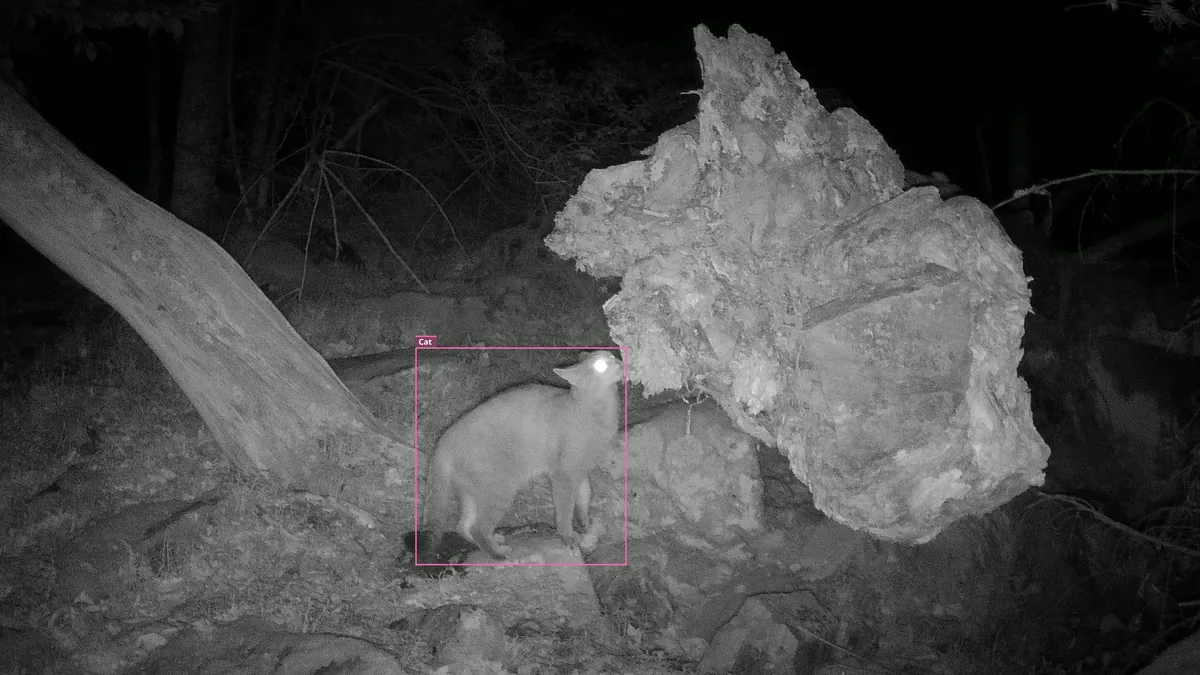



Battery life, memory card
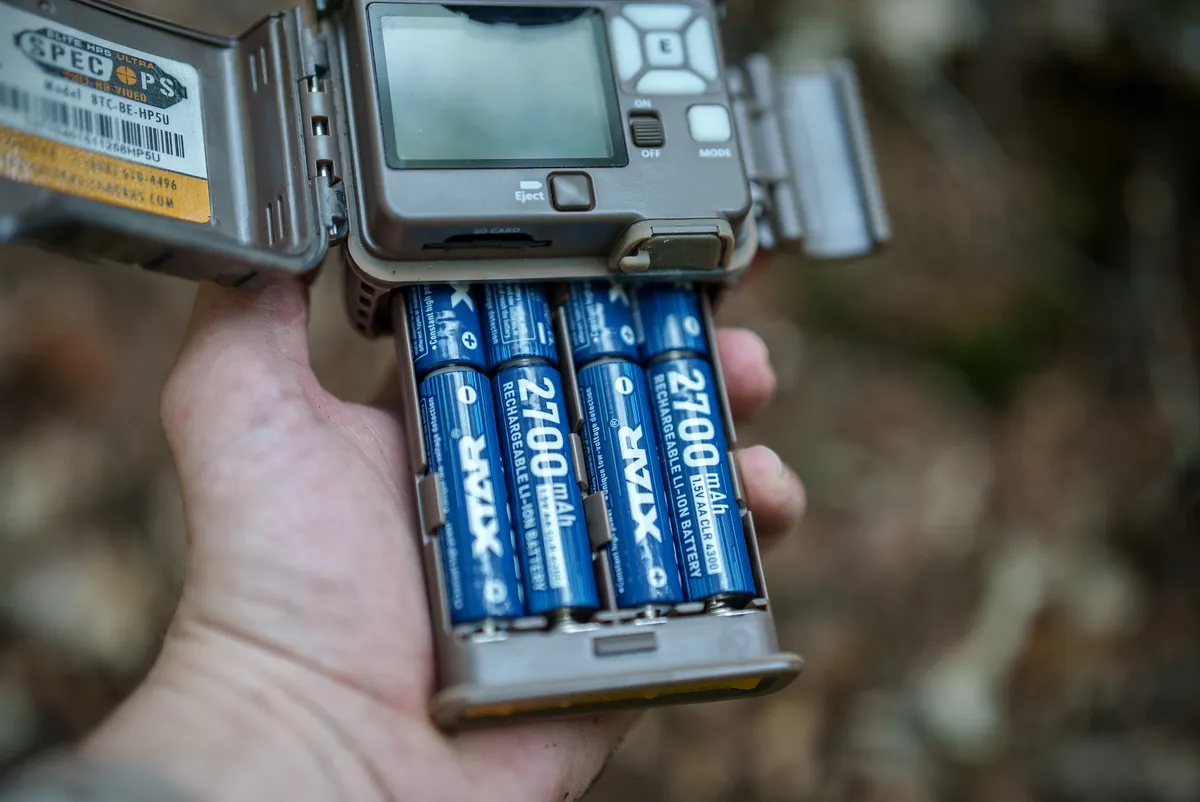
The trail camera runs on eight AA cells and accepts alkaline, lithium, and rechargeable batteries. Important: set the battery type in the menu too (the Battery Type item), the camera uses it to calculate the charge level.
Which batteries we currently use: our main choice is rechargeable lithium XTAR AA cells, which have proven themselves over the long term, offering a good balance of runtime, price, and charging convenience. We have also run the HP5 Ultra for months at a stretch on the Browning Li-ion pack (charges over USB-C, 25.8 Wh in our measurement). Detailed measurements of every battery type are in our big trail camera battery test.
When estimating battery life, think about the mode you run the camera in. The manufacturer’s battery-life figures quoted in years apply to photos; night video is a very different proposition in terms of energy use (our measurement puts it at 4.75 W, several thousand times the sleep consumption). By our calculation, a quality set of lithium batteries lasts almost a year at 4 night videos per day, just under half a year at 10 triggers per day, and on a very busy site count on weeks.
One more warning from practice: lithium cells hold their voltage almost to the end and then drop sharply. The battery icon therefore stays near full for a long time, and then the batteries die “overnight”. Once the indicator drops below 70%, stop trusting it and replace the batteries on your inspection schedule instead.
You can estimate how long specific batteries will last at your trigger frequency using the calculator in our battery test; we have set the consumption to the 4.75 W measured on the HP5 Ultra:
| Battery | Runtime/set | Sets / period | Batteries + charger | Extra trips | Total | €/Wh |
|---|---|---|---|---|---|---|
| XTAR AA CLR 4300 ✓ | ~150 days | ~5 | €62 | 5 (€100) | ~€162 | 0.30 |
| Browning A152-04 pack | ~132 days | ~6 | €61 | 6 (€120) | ~€181 | 0.28 |
| Energizer Ultimate Lithium | ~176 days | ~5 | €90 | 5 (€100) | ~€190 | 0.52 |
| Eneloop Pro | ~119 days | ~7 | €58 | 7 (€140) | ~€198 | 0.24 |
| Eneloop (white) | ~96 days | ~8 | €52 | 8 (€160) | ~€212 | 0.23 |
| Varta alkaline | ~51 days | ~15 | €68 | 15 (€300) | ~€368 | 0.45 |
The calculation is based on our measured values (at room temperature). The €/Wh column is the price of the cells divided by the energy actually delivered over the whole period, so rechargeables come out much lower thanks to their many cycles. Real runtime depends on weather, activity and settings.
Memory card: the trail camera supports SDXC cards up to 512 GB, and for this model, that capacity is far from excessive. A minute of video at the highest quality takes about 330 MB, so a 64 GB card holds roughly 3 hours of recorded footage, 128 GB about 6 hours, and 512 GB over 25 hours. How does that square with battery life? If the camera recorded only day video, one set of lithium XTAR AA cells is good for roughly 12 to 14 hours of footage, or around 250 GB of data; with night video it is roughly 6 hours and 120 GB. A 512 GB card thus covers a full set of batteries with room to spare, while a 128 GB card on a busy site can fill up before the batteries run out.
The older HP4 and HP5 models had a documented problem with very fast cards (over 100 MB/s) that could corrupt the card. The HP5 Ultra has a new processor with native fast-card support and we have not run into the problem; we still lack long-term data from a larger user base, though. So we stick to a proven routine: use a quality brand-name card, format it in the trail camera, and take one test shot after formatting.
Solid build and controls
The body is practically identical to the previous HP5: a compact, enclosed design with a protected 2-inch color display and a keypad inside. The controls are simple and quick even with gloves on; once the camera is open you can reach any menu item in a few seconds. The display also shows a live preview, so you aim the trail camera precisely during installation.
The menu is clear and available in English, German, Polish, and other languages. Besides the Battery Type item mentioned above, we recommend checking Motion Detection (Normal / Long Range) and Video Quality, where the highest quality is labeled Ultra (2560 × 1440 at 60 fps).
Among the other menu features we like Motion Test (the camera blinks when you walk through the detection zone, so you verify coverage on the spot), Capture Timer (restricting capture to chosen hours, for example nights only), and burst mode with up to 8 photos per trigger. The Timelapse Plus feature captures motion-triggered shots alongside the regular interval frames.
On the back, the trail camera has a metal strap bracket and an eyelet for a cable lock; on the bottom there is a standard tripod thread. A small share of US users reported an issue with the battery tray latch; our units are mechanically flawless after months of use.
Camouflage and blending in
At 13 × 9.7 × 5.6 cm the HP5 Ultra is a mid-sized trail camera and its dark finish blends well with tree bark. Together with its completely invisible illumination, this makes the camera practically undetectable at night; during the day it mostly comes down to picking the spot. Mounting it away from eye level has worked well for us (higher up the tree, angled slightly down), where neither wildlife nor a passer-by notices it.

Security
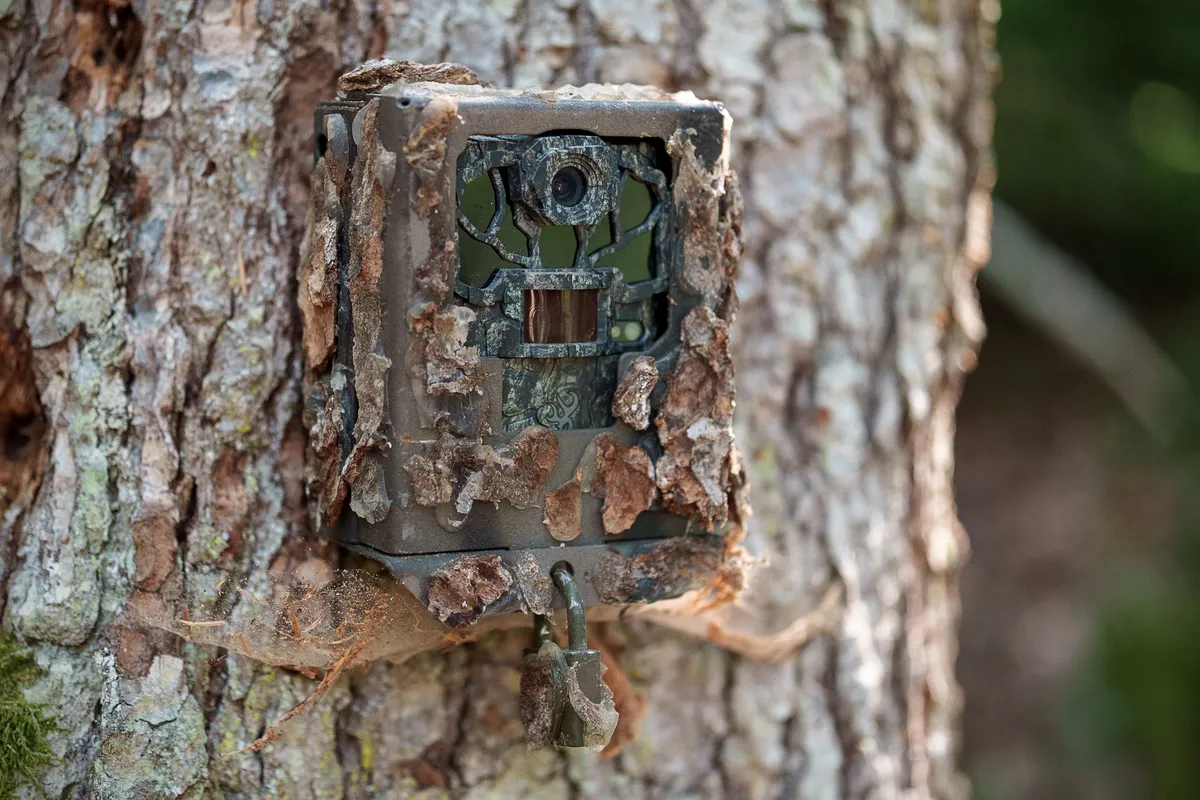
To deter theft, the trail camera has an eyelet for a cable lock and also supports a metal security box; since the body is identical to the HP5, the security box made for the previous model also fits. The box protects not only against thieves but also against a curious bear.
Reliability, build quality, and warranty
Our units have run since January without a single failure: no freezes, no corrupted files, no mechanical faults. After our experience with the first firmware, that was not a given.
Browning also has a huge user base in the US, so any model-specific faults are documented quickly. For the HP5 line, US forums mention a rare internal clock fault (the date resets to 1/1/2020) and the battery tray latch issue mentioned above; both are handled under warranty. Browning’s service reputation matters too: US users consistently report fast, helpful repairs, which is not a small thing for a device that hangs on a tree for years.
From our perspective this is a mature model whose rare faults are known, documented, and dealt with.
Comparison: HP5 Ultra vs HP5 vs Reconyx HF4K
| HP5 Ultra | HP5 (older) | Reconyx HF4K | |
|---|---|---|---|
| Video | true 1440p / 60 fps | 1080p / 60 fps | 4K |
| Image detail | excellent | good | the reference |
| Trigger (our measurement) | 0.2 s photo / 0.3 s video | 0.2 s photo / 0.3 s video | 0.2 s |
| Illumination | invisible 940 nm | invisible 940 nm | invisible 940 nm |
| Availability | on sale | discontinued | on sale |
| Price | ~290 € | discontinued | nearly double |
Compared with the older HP5 the Ultra is a clear step forward: true resolution, better backlight handling, higher bitrate. If you own an HP5 and are satisfied with its video quality, though, there is no rush; production has ended, but working units still hold their value well.
Compared with the Reconyx HF4K the difference in image detail is still visible; the Reconyx remains the reference model. It costs nearly twice as much, though, and its PIR sensor is finicky (it practically does not trigger in the upper part of the frame), so it is much harder to work with in the field. Unless you need the absolute best regardless of price, the HP5 Ultra offers what we consider the best balance of video quality and price on the market.
Summary
The Browning HP5 Ultra had a troubled start, but after the third firmware it is the trail camera we expected from the Spec Ops line: true 1440p video at 60 fps with a high bitrate, natural colors, a dependable sensor, and invisible illumination that works in practice. On top of that, no competitor in this class offers night video without a quality drop.
We recommend it to anyone who primarily wants quality video from a trail camera and does not want to pay Reconyx money. We do not recommend it if you need long night sequences, because there is no way around the 20-second night clip limit, or if you only need photos for wildlife records, because a cheaper model will do.
290 € (indicative price in Europe)
The HP5 Ultra is widely available from Browning’s retail partners.
Sample photos and videos
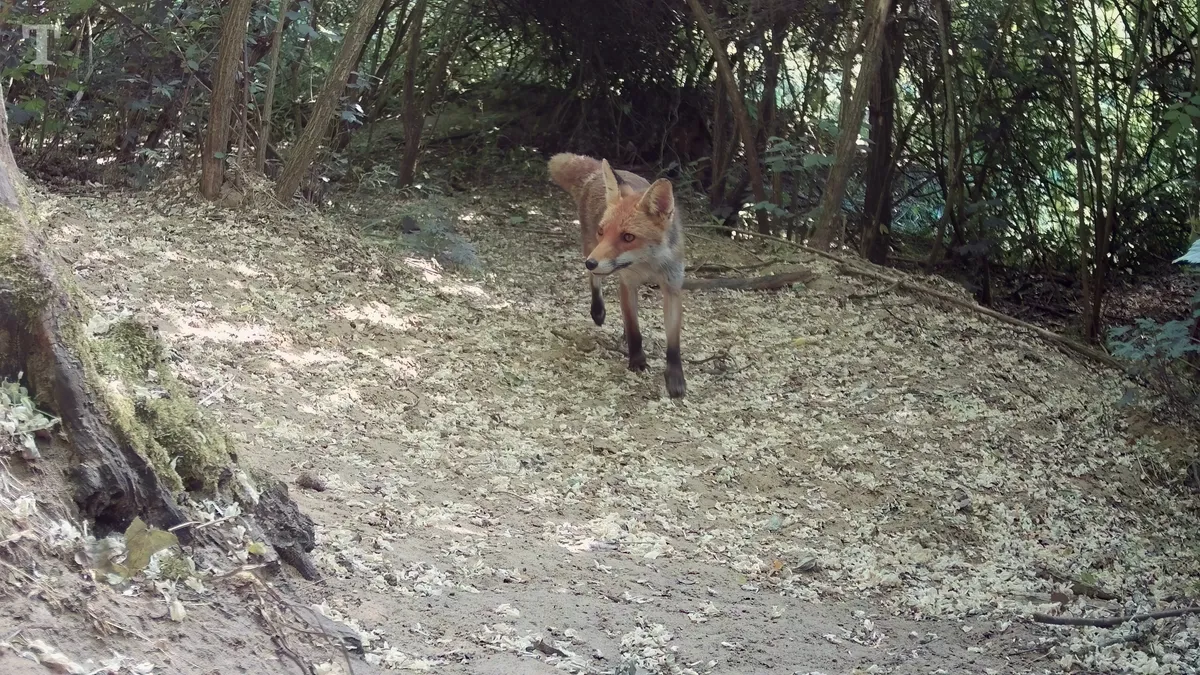
You will find the sample video in the Video quality section above. More footage from our sites:

Archive: our original first impressions before the firmware updates
Originally published: January 26, 2026. Editor’s note: The section below is a shortened version of the original article from before the firmware updates. We have deliberately kept it here to make clear what problem the first HP5 Ultra units had and what firmware Q03311F changed.
How we conducted the original testing
We deployed the HP5 Ultra in real field conditions, at sites where we keep other trail cameras long-term. We used two different units to rule out a manufacturing defect. Both behaved exactly the same, so the problem was not limited to one bad unit.
First impressions of daytime video
From the very first day clips it was clear the image had a completely different character from what we had come to expect from Browning. Heavy noise reduction and strong oversharpening dominated practically every clip. The biggest problem was the loss of fine detail: the pattern and texture of animal fur merged into uniform surfaces.

Image behavior at dusk
Dusk footage exposed the biggest weaknesses: the image literally fell apart in poor light. The noise reduction was so aggressive that fine detail disappeared completely and the whole image looked unnatural.

Direct comparison with other trail cameras
Compared with older Browning models this was a clear step back in video quality. It stood out even more next to the Reconyx we had at the same site at the same time.


About authors
| Sensor & optics | |
|---|---|
| Sensor resolution | 5.1 Mpx |
| Sensor model | Sony IMX675 (Starvis 2) |
| Sensor size | Type 1/2.8″, 6.53 mm diagonal, 2.0 µm pixels |
| Field of view (horizontal) | 53 ° |
| Focal length | 35 mm |
| Photos | |
| Photo resolution | 4 Mpx / 8 Mpx / 12 Mpx / 46 Mpx |
| Interpolated | yes |
| Photo aspect ratio | 16:9 |
| Photo format | JPG |
| Burst speed | 8 |
| Burst count | 1 - 8 |
| Video | |
| Video resolution | 2560 x 1440 px (QHD) / 1920 x 1080 px (Full HD) |
| Sound | yes, mono (AAC, 64 kb/s) |
| Frame rate | 60 fps (QHD) / 30 and 60 fps (Full HD) |
| Bitrate | 46 Mb/s at the highest quality, day and night (our measurement) |
| Video file size | approx. 330 MB per minute at the highest quality (our measurement) |
| Video format | MP4 (H.264) |
| Video length | 5 s – 2 min + Smart IR video (night video max 20 s) |
| Video aspect ratio | 16:9 |
| Night illumination | |
| Glow type | No-glow (940 nm) |
| Detail | invisible, RADIANT LED, 940 nm |
| Range | up to 30 m |
| Motion sensor (PIR) | |
| Trigger time (photo) | 0.2 s |
| Trigger time (video) | 0.3 s |
| Trigger note | 0.2 s photo / 0.3 s video on the fast setting, approx. 0.7 s on the slower setting (our measurement) |
| PIR range | up to 30 m (adjustable: Normal 18 m / Long Range 30 m) |
| PIR angle | 58 ° |
| PIR interval | adjustable (1 s – 60 min) |
| Power & memory | |
| Power | 8 x AA batteries (alkaline, lithium, or rechargeable), Browning rechargeable battery pack, or 12 V external power |
| External power | 12 V external power (battery, solar panel) |
| Battery life | Excellent |
| Power draw (measured) | approx. 1 mW in sleep / 4.75 W recording night video (our measurement) |
| Estimated battery life | with lithium XTAR AA: approx. 10 months at 4 triggers per day, approx. 5 months at 10, approx. 1 month at a very busy site (based on our battery test) |
| Memory card | SD up to 512 GB (SDXC) |
| Card overwrite | yes |
| Build & controls | |
| Construction | Enclosed, with a covered display on the front |
| Display | color, 2″ |
| Modes | photo, video, timelapse |
| Time limits | yes |
| Data strip | barometric pressure, temperature in °F / °C, moon phase, date, time, camera name |
| Languages | English, French, German, Dutch, Italian, Spanish, Polish (no Slovak or Czech) |
| Mounting | ¼” tripod thread on the bottom, metal strap bracket and cable-lock eyelet on the back |
| Size & connectivity | |
| Dimensions | 13 x 9,7 x 5,6 cm |
| Weight | 310 g (without card and batteries) |